A security alert deserves attention, but its headline rarely contains enough information to choose a response. First establish whether it describes software actually present on your site and whether the installed version is affected.
Open the original advisory or the vendor's verified security notice through a trusted route. Messages that demand a password or an urgent download from an unfamiliar link may themselves be deceptive. Do not use a forwarded screenshot as the only source of instructions.
Record the product name, affected versions, fixed version when available and any stated conditions. A vulnerability in an optional module may have a different exposure from one in a public endpoint, but avoid assuming you are unaffected without checking the documented conditions.
Turn the alert into a specific task
If an applicable fix exists, plan to apply it promptly with the necessary backup and verification. For an important workflow, use a representative test environment where feasible, but do not let an open-ended testing plan become indefinite postponement. Follow the vendor or hosting provider's guidance for urgent mitigations.
If no fix is available, seek the recommended temporary action from the accountable source. That may involve disabling a feature or replacing software, depending on the issue. Do not invent a server rule from an unrelated forum post and assume it blocks the vulnerability.
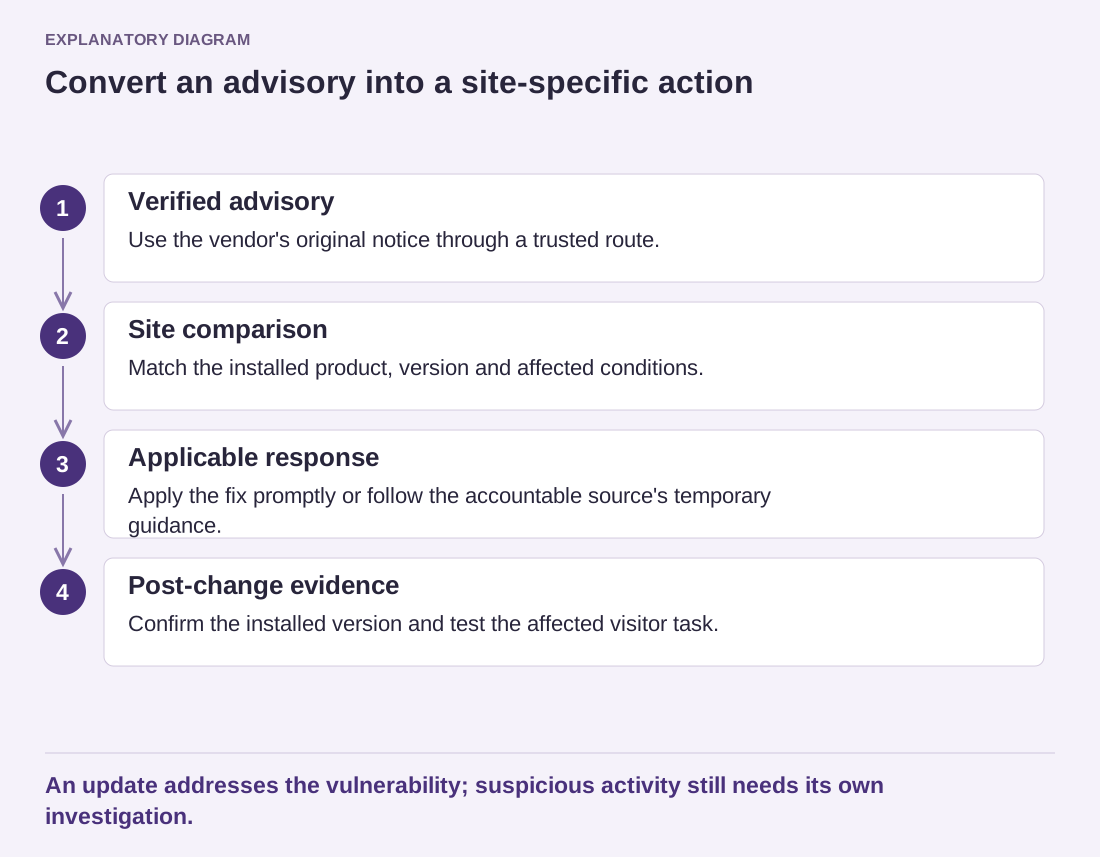
Read the diagram as text
- Verified advisory: Use the vendor's original notice through a trusted route.
- Site comparison: Match the installed product, version and affected conditions.
- Applicable response: Apply the fix promptly or follow the accountable source's temporary guidance.
- Post-change evidence: Confirm the installed version and test the affected visitor task.
An update addresses the vulnerability; suspicious activity still needs its own investigation.
Separate vulnerability exposure from evidence of compromise. An affected version means the site may be vulnerable; it does not by itself prove that someone entered. Conversely, installing the fixed version does not automatically remove changes made during a prior intrusion. Suspicious activity needs its own investigation.
Keep the advisory reference and the actions taken in the maintenance record. Verify the installed version after the change and check the feature that could be affected. Then review why the alert reached the right person, or why it nearly did not. A clear notification route makes the next advisory easier to handle without improvising.