A backup stored beside the live website can be convenient for a quick restore. It may also disappear with the same account deletion, storage failure or compromised credentials that affects the website. A separate copy protects against a different set of failures only when it is genuinely independent.
Ask what “off-site” means in the service description. A backup on another server controlled by the same hosting account may be useful, but it is not the same as a copy you can retrieve after losing that account. Confirm how access works during an outage or account suspension.
Choose storage appropriate to the information in the backup. A WordPress database can include personal details, private content and credentials or tokens stored by extensions. Treat the archive as sensitive, not as an ordinary public download. Use controlled access and encryption where the system supports an appropriate recovery arrangement.
Separate access as well as location
If the live site can overwrite or delete every historical backup using one credential, a compromise may affect both. Ask the backup provider about retention controls, versioning or other protections relevant to your setup. The exact mechanism varies; the important question is whether a damaged site can erase the recovery path.
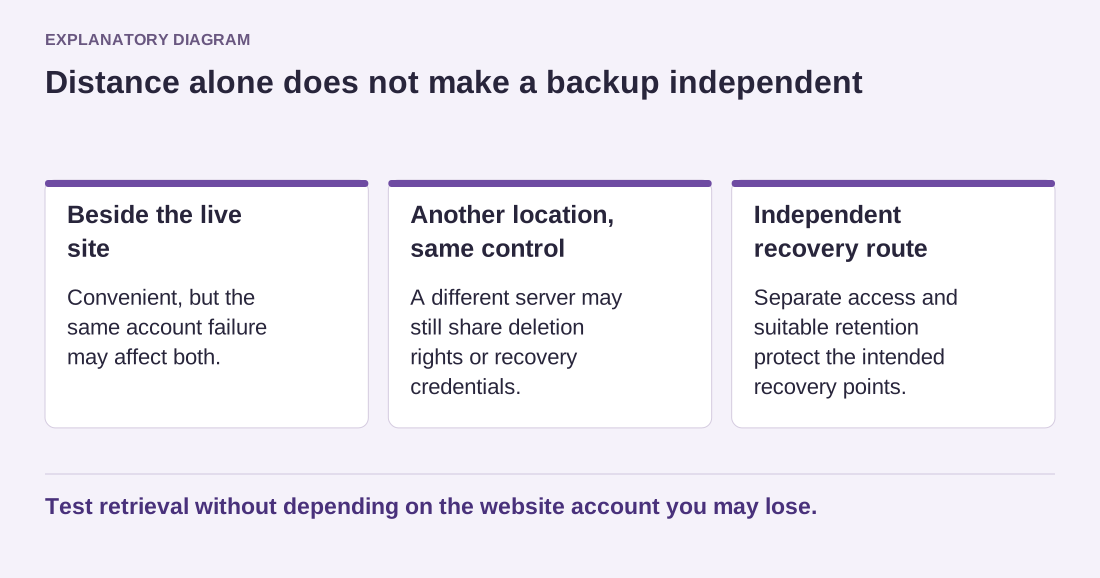
Read the diagram as text
- Beside the live site: Convenient, but the same account failure may affect both.
- Another location, same control: A different server may still share deletion rights or recovery credentials.
- Independent recovery route: Separate access and suitable retention protect the intended recovery points.
Test retrieval without depending on the website account you may lose.
Keep recovery credentials available outside the broken website. A password manager with an established recovery process may help, but do not store the only key inside the encrypted backup it unlocks. Make sure the authorized owner can retrieve the copy without relying on a former contractor.
Test the download from the separate location and perform a restore rehearsal. A transfer report showing success does not establish that the archive contains a complete set or that it can be opened. Record the date, scope and any additional key or software needed.
Maintain a retention schedule rather than allowing archives to accumulate forever. Remove old copies through the storage system's intended process, preserving the recovery points you actually need. The aim is an independent, understandable route back to a working site, not simply another folder with the word backup in its name.