A weekly backup can be adequate for one site and a serious gap for another. The difference is not the size of the homepage. It is how much information changes between copies and how difficult that information would be to reconstruct.
Ask a concrete question: if the site had to return to its last backup today, which work would disappear? For an occasional brochure update, the answer may be a few sentences that can be rewritten. For a site collecting registrations, it could be a list of people whose details exist nowhere else.
Separate the kinds of change. Uploaded files, database records and external-service data may change at different rates. The backup method should keep related parts consistent, but the schedule can reflect the work being protected. Consult the system's documentation before assuming that a frequent database copy captures new files as well.
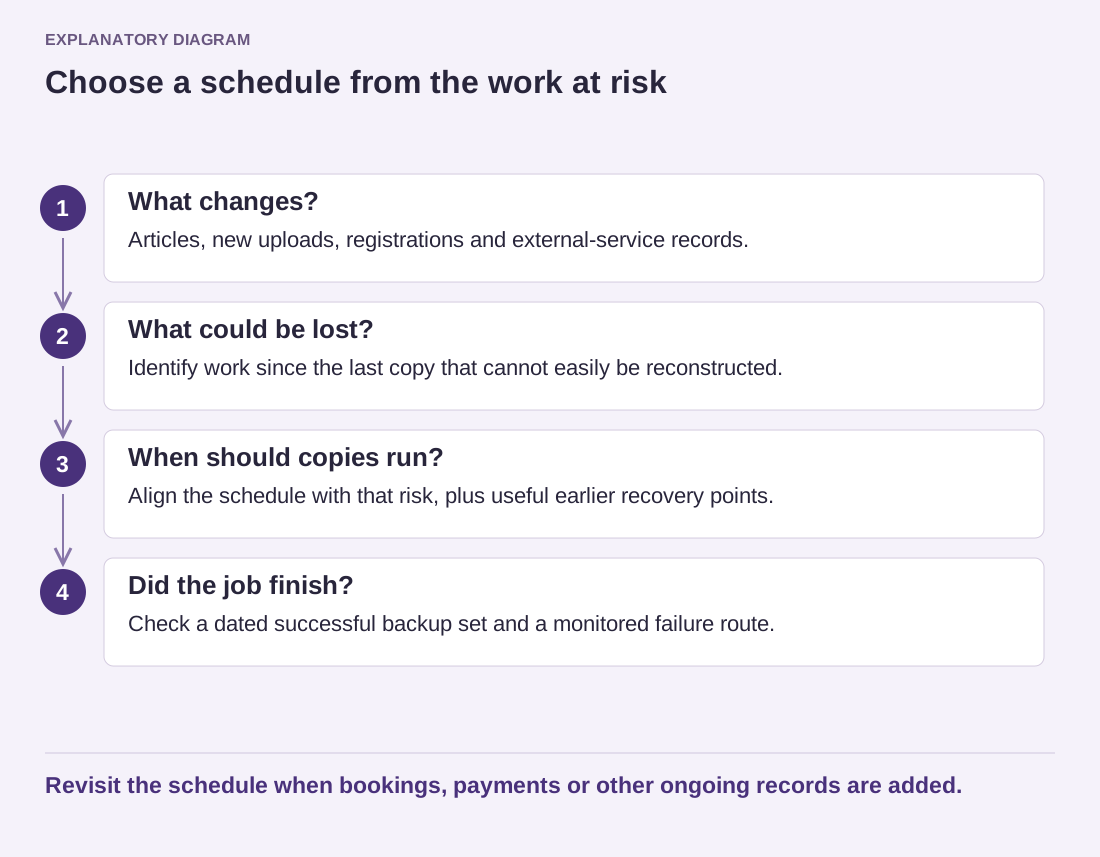
Read the diagram as text
- What changes?: Articles, new uploads, registrations and external-service records.
- What could be lost?: Identify work since the last copy that cannot easily be reconstructed.
- When should copies run?: Align the schedule with that risk, plus useful earlier recovery points.
- Did the job finish?: Check a dated successful backup set and a monitored failure route.
Revisit the schedule when bookings, payments or other ongoing records are added.
Keep more than one point in time
The newest copy is not always the right copy. An unnoticed error can already be present in it. A retention policy that preserves several earlier points gives you options, although longer retention also creates storage and privacy responsibilities. Decide who can access those copies and when they are removed.
Use a simple example to choose a starting schedule. A site publishes two articles each Friday and makes no other changes. A backup before the publishing session and another after it can protect different needs: returning before an editing mistake and recovering the newly published work. A daily registration site requires a different arrangement.
Check whether scheduled jobs actually complete. A dashboard saying that backups are enabled is not evidence that yesterday's copy exists. Review failure notifications and periodically inspect the latest successful set. Make sure those notifications reach someone who can act.
Reconsider the schedule when the site changes purpose. Adding a store or a booking system changes the amount of information at risk even if the design stays the same. The useful schedule is the one whose possible loss you understand and accept, supported by a restore method you have actually rehearsed.