An application password lets a supported tool authenticate to WordPress as a user without receiving that user's main password. It is intended for programmatic access, such as an integration using the REST API. It is not a replacement password for a person signing in through the usual wp-login page.
WordPress associates the credential with a particular user. That user's permissions remain important. Do not create it under an administrator merely because that account is already open if the integration can operate with a more limited role. Application passwords should not be assumed to provide arbitrary, fine-grained scopes for each token.
Use a descriptive name when creating one, such as the service and its purpose. Create a separate credential for each integration rather than sharing one across several tools. This makes it possible to revoke a single connection without breaking unrelated work.
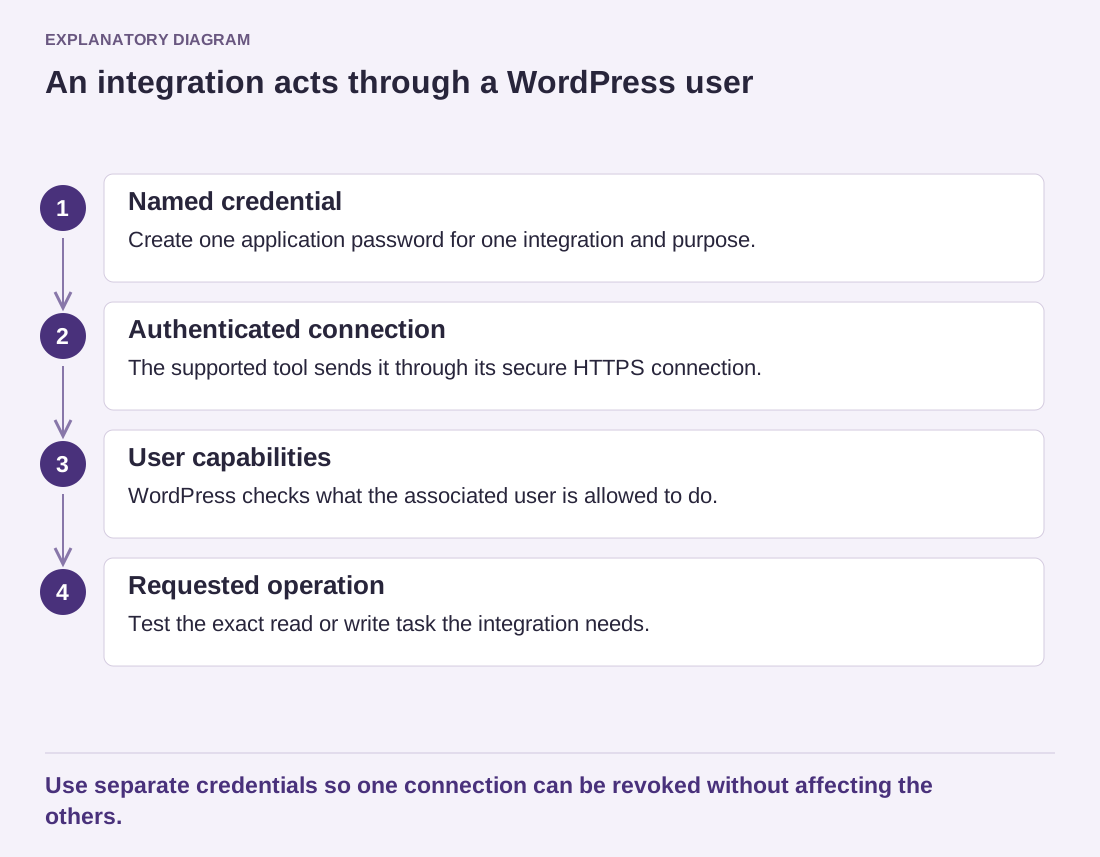
Read the diagram as text
- Named credential: Create one application password for one integration and purpose.
- Authenticated connection: The supported tool sends it through its secure HTTPS connection.
- User capabilities: WordPress checks what the associated user is allowed to do.
- Requested operation: Test the exact read or write task the integration needs.
Use separate credentials so one connection can be revoked without affecting the others.
The generated value is shown at creation and should be stored securely at that point. Keep it out of screenshots, source repositories and ordinary project notes. Send it only through the supported secure configuration route, and use HTTPS for the authenticated connection.
Test the integration with the intended user and task. A credential that can authenticate may still lack the capability required for an operation. Conversely, successful authentication does not establish that the integration should have every privilege available to that user.
Review existing application passwords periodically using the available names and usage information. An unfamiliar or unused entry deserves investigation. Revoke credentials that are no longer needed, and replace a credential when it may have been exposed. Changing a person's normal workflow should not leave old automated access forgotten.
When removing an integration or a user, include these credentials in the handover. Document which connection will stop and who owns the replacement. The benefit of separate application passwords is controllable access; it is lost when several services share one unexplained secret that nobody feels able to revoke.