The post was supposed to appear before breakfast. By midmorning it is still waiting, even though its date and time look correct. It is tempting to edit the post repeatedly, but first separate two questions: was the task scheduled correctly, and did anything give the scheduler a chance to run it?
WordPress normally checks for due WP-Cron tasks during requests that run WordPress. It does not continuously watch the clock, and a page served entirely by an upstream cache does not itself run that check. A quiet site can therefore have a gap between a task's scheduled time and its execution. That mechanism is different from a server scheduler configured to run at set intervals.
Find the point where the work stopped
Start with a single missed task. Record its expected time, the site's configured time zone and the first moment you noticed the delay. Ask whether other scheduled work was also late. If only one plugin's task failed, that is a different lead from several unrelated tasks becoming overdue together.
For a publication that rarely receives overnight visits, a delayed morning post is a useful example to investigate. For an established shop with steady traffic, blaming low traffic without looking at errors is less convincing. A plugin exception, an unsuccessful request or a hosting restriction may need separate investigation. The symptom alone does not identify the cause.
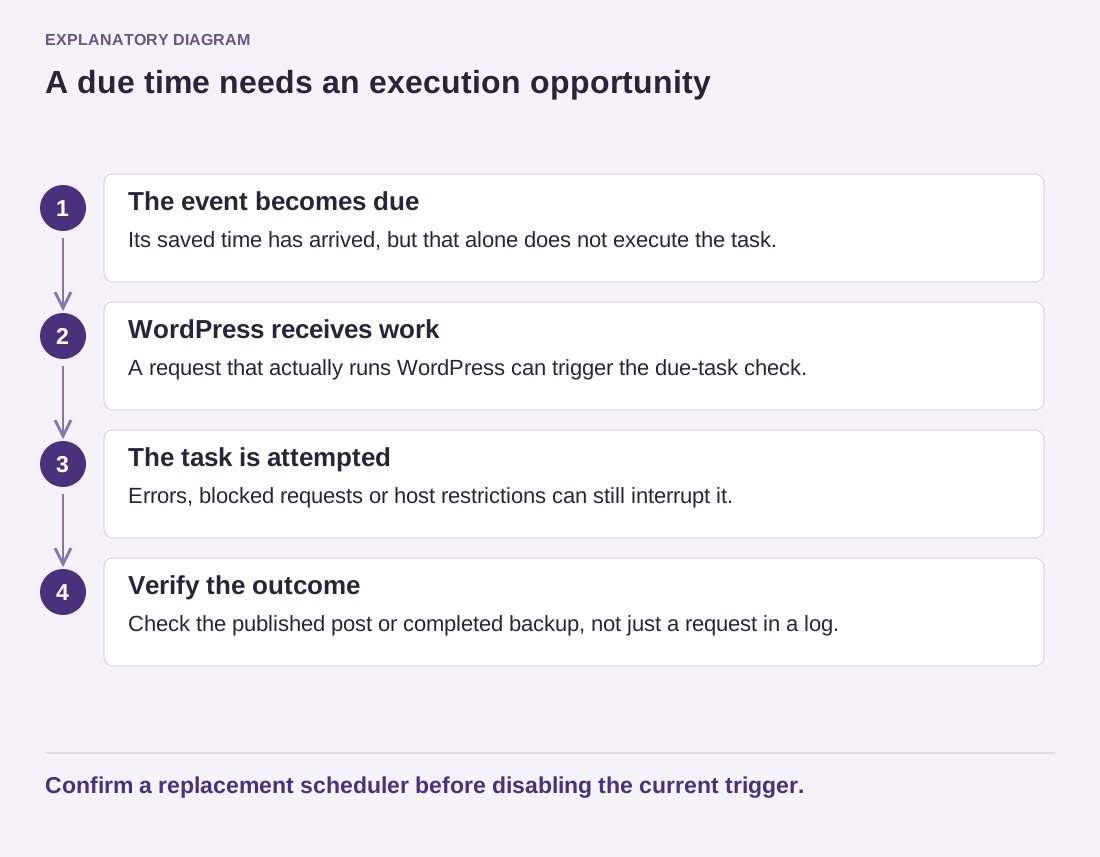
Read the diagram as text
- The event becomes due: Its saved time has arrived, but that alone does not execute the task.
- WordPress receives work: A request that actually runs WordPress can trigger the due-task check.
- The task is attempted: Errors, blocked requests or host restrictions can still interrupt it.
- Verify the outcome: Check the published post or completed backup, not just a request in a log.
Confirm a replacement scheduler before disabling the current trigger.
Agree on one scheduling arrangement
WordPress documents using a system scheduler to trigger its cron script and then disabling the automatic page-load trigger. Coordinate that arrangement with the hosting provider. Do not turn off the existing trigger before its replacement is configured and checked; an incomplete migration can leave work waiting rather than make it faster.
Give the host a concrete requirement instead of asking for the fastest possible interval. Explain which task matters, how late it can reasonably be and who owns its output. A daily editorial routine and a time-sensitive business process deserve different conversations. Avoid copying a server command from another account, where paths, permissions and available tools may differ.
After a change, check the result of the work itself. Seeing a request in a log does not establish that a backup completed or that a scheduled post became public. Use a harmless test task, inspect its outcome and review the next normal run. Keep any logs private if they include account details or unpublished material.
Write down who maintains the schedule and where it is configured. Include that note when moving hosts. A reliable arrangement is one that survives a quiet night, a staff handover and a hosting change without anyone needing to remember an undocumented setting.