A performance report without its test conditions is difficult to use a week later. You may remember that the number looked disappointing, but not whether you tested the homepage, a long article or the logged-in dashboard. Before changing settings, make a small record that another person could repeat.
Choose pages that represent different kinds of work. For a small publication, that might be the homepage, an image-heavy article and a category listing. A shop needs its own browsing and purchasing tasks, with test accounts and an appropriate testing environment. The homepage alone cannot stand in for everything visitors do.
Keep the conditions beside the numbers
Record the complete URL, the time, the tool and the selected device or connection profile. Note whether you were logged in, whether the browser already had cached files and whether a consent choice changed which scripts loaded. If a report offers a shareable result, save its address or a copy. A cropped screenshot of the overall score removes much of the evidence you will need.
Repeat the same test several times rather than treating one result as the site's permanent speed. If measurements vary widely before you touch anything, that variation belongs in your baseline. It may reflect server load, network conditions or the testing environment. A small improvement inside a much wider normal range is not convincing proof of a successful change.
Consider an article whose opening photo looks late on a phone. Write down that observation as well as the metric. After an image change, you can ask two separate questions: did the measured loading behavior improve, and did the visible photograph become ready sooner? A score that rises while the important content still feels delayed deserves a closer look.
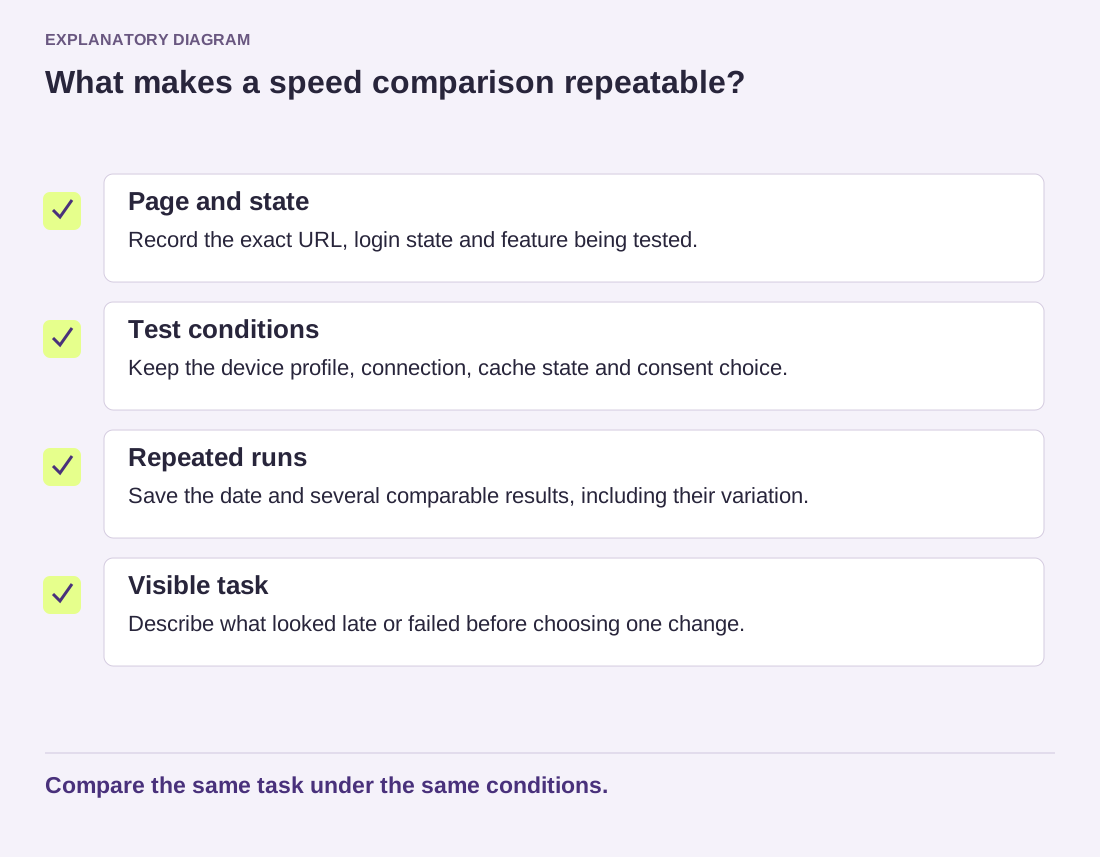
Read the diagram as text
- Page and state: Record the exact URL, login state and feature being tested.
- Test conditions: Keep the device profile, connection, cache state and consent choice.
- Repeated runs: Save the date and several comparable results, including their variation.
- Visible task: Describe what looked late or failed before choosing one change.
Compare the same task under the same conditions.
Keep the comparison small
Change one relevant setting or asset, then repeat the original conditions. Replacing a theme, activating a cache and compressing every image at once makes it hard to identify which action helped or caused a new problem. Save the earlier settings so a failed experiment can be reversed without guessing.
A useful baseline fits in a short document: page, conditions, repeated results, visible symptom and proposed change. Include the date because the site and the testing tools will evolve. You are building a comparison, not collecting a certificate. That distinction makes the next optimization decision considerably easier to explain.