Before compressing every picture on a page, find out which element the report identifies as the Largest Contentful Paint candidate. It may be the large photograph you expected, but it can also be a block of text. A mobile layout can identify a different element from the desktop layout, so keep the viewport with your notes.
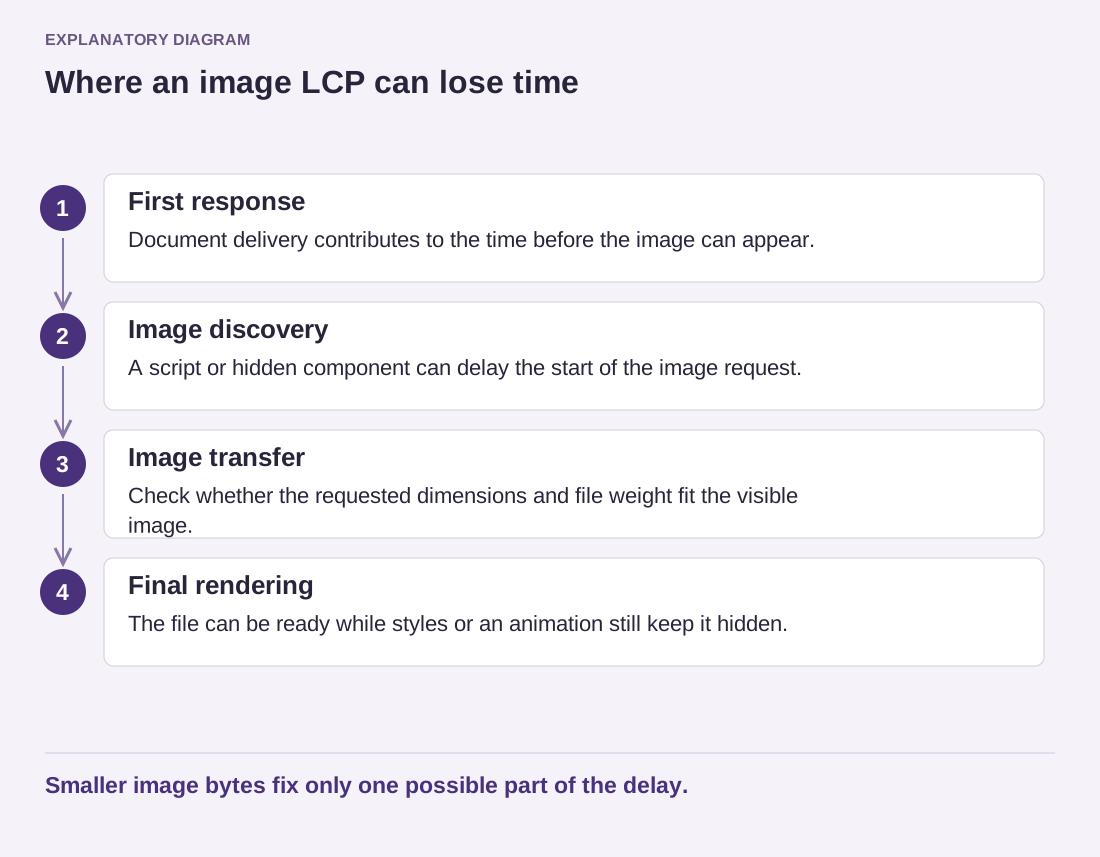
The useful question is not only when that element appeared. Ask what happened before it could appear. The browser may have waited for the document, discovered an image late, spent time downloading it or held back rendering after the file arrived. Reducing image bytes addresses only part of that possible sequence.
Follow one element through the load
Open the report's element details and match them to the public page. If it identifies the opening photo, inspect the image request in the browser's network tools. Was the request started promptly, or only after a script ran? Was the delivered file appropriate for the visible size? Does a carousel or entrance animation keep the image hidden even when it is already available?
For a concrete example, imagine a small hero image loaded by a slideshow script. Compressing the file further may save little if the browser does not learn its address until the slideshow initializes. A simpler static presentation may be worth testing. The reason for that experiment is the late discovery of the useful image, not a blanket rule against all slideshows.
If text is identified instead, look at the conditions that make it visible. Fonts, styles and scripts can affect when a heading is rendered. Treat the visible result as part of the test: a faster heading that becomes unreadable, shifts dramatically or loses required characters is not a finished improvement.
Read the diagram as text
- First response: Document delivery contributes to the time before the image can appear.
- Image discovery: A script or hidden component can delay the start of the image request.
- Image transfer: Check whether the requested dimensions and file weight fit the visible image.
- Final rendering: The file can be ready while styles or an animation still keep it hidden.
Smaller image bytes fix only one possible part of the delay.
Confirm the change in the same layout
Make the experiment on a copy when it involves a theme or optimization setting. Repeat the original viewport and test profile, then check another representative page using the same template. A shared template adjustment can help many pages, but it can also change which resource is important on each one.
Keep the original report and a short explanation of the change. Avoid stacking several preload rules simply because a report mentioned resource priority; competing priorities can create new trade-offs. If a change needs code beyond your experience, the element identity and request timing give a developer a much better starting point than an overall score alone.