A tutorial video can be useful even when the player does not load immediately. A preview image with a clear play control lets the reader decide when to activate the external player. This can avoid initial requests for a video that the reader never watches.
The preview is a real control, not a decorative image with an invisible click handler. It should be reachable by keyboard, have a name that explains what will play and show a visible focus state. On a phone, the target needs to be comfortable to tap without accidentally activating nearby links.
Describe the video briefly in the surrounding text. A reader should not need to load the player just to discover whether it answers the question. If the important instructions exist only in the video, consider an accompanying written explanation or accessible alternative. Reducing initial downloads should not make the information harder to obtain.
When the play action replaces the preview, preserve the player's expected space. A large height change can move the surrounding article just as the person is trying to interact. Test the replacement at phone and desktop widths, including a long translated label if the page supports several languages.
Check what loads before the click
A preview can still contact a third party if its image is loaded from that provider. Inspect the actual requests rather than assuming that a static-looking picture means no external contact. If you host a preview locally, ensure that you are permitted to use that image and keep its relationship to the video accurate.
After activation, the embedded provider's behavior and privacy rules matter. Explain external loading where appropriate and apply the consent approach required by the actual website. A play button is not a universal substitute for every disclosure or consent requirement.
Test a failed load as well as a successful one. If the provider is unavailable or blocked, offer a useful explanation and, where suitable, an ordinary link to watch on the provider's site. Do not leave a permanent spinner that gives the reader no next step.
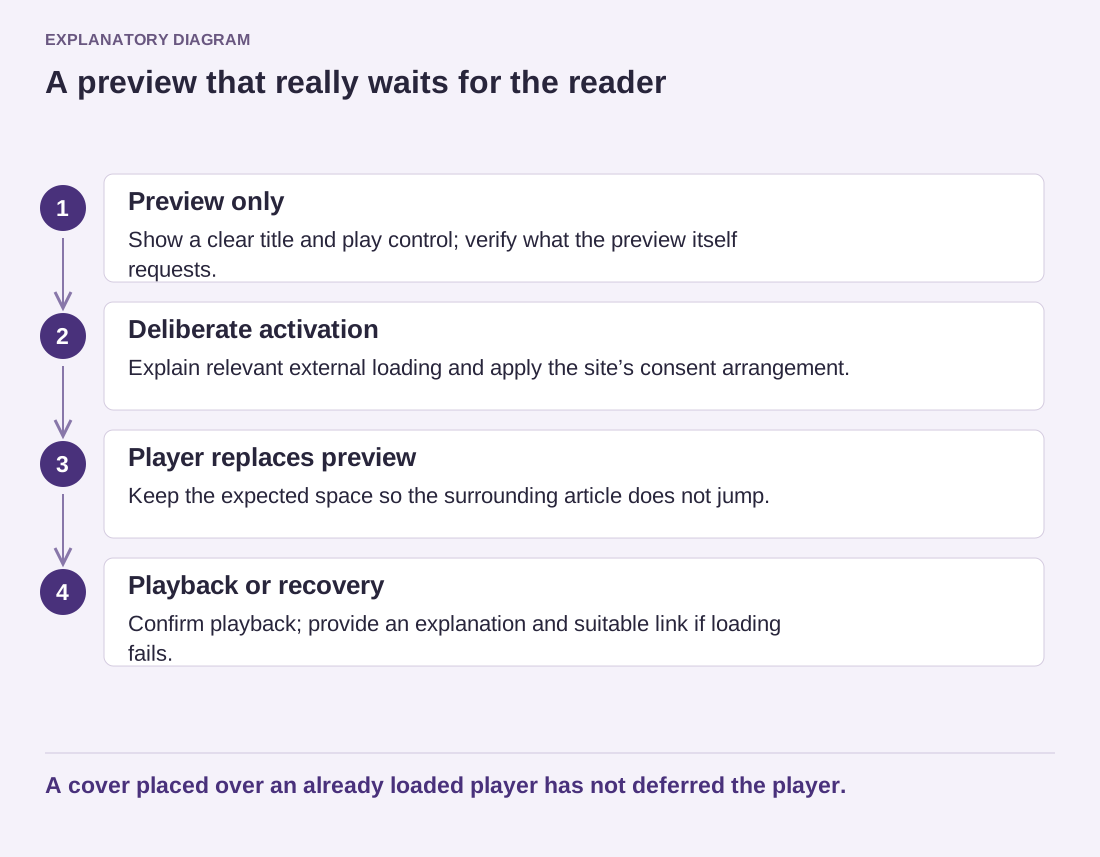
Read the diagram as text
- Preview only: Show a clear title and play control; verify what the preview itself requests.
- Deliberate activation: Explain relevant external loading and apply the site’s consent arrangement.
- Player replaces preview: Keep the expected space so the surrounding article does not jump.
- Playback or recovery: Confirm playback; provide an explanation and suitable link if loading fails.
A cover placed over an already loaded player has not deferred the player.
Finally, check that the chosen implementation does not accidentally load both the hidden player and the preview from the start. The feature is worthwhile when it genuinely defers unnecessary work while keeping playback understandable. A lightweight-looking cover over an already loaded embed provides only the appearance of that improvement.