A chat bubble occupies little space in a corner, but the code behind it may load several files, contact external services and continue working after the page appears. Visual size is a poor guide to the cost of an embedded feature. Review what it brings into the page, not just how neatly it fits the design.
Begin with an inventory of external features: maps, videos, analytics, chat, social feeds, advertising and booking tools. Record the purpose of each one and where it appears. A map that helps visitors find a physical location may be justified on the contact page without needing to load on every article.
Open representative pages in the browser's network tools and identify requests associated with the feature. The number of requests is only part of the story. File size, connection setup, script execution and repeated background activity all matter. A short script can still trigger additional work after it runs.
Test a meaningful alternative
On a copy of the site, remove or delay one nonessential integration and compare the same task. If a social feed is replaced by an ordinary link, can readers still reach the account they need? If a map becomes a static preview with a clearly labeled external link, does it still explain the destination? Do not remove useful information merely to make a report cleaner.
A feature loaded only after a deliberate action can reduce initial work, but the action must be clear and accessible. Readers should know that activating it will contact an external provider where relevant. Respect any consent requirements of the actual setup; delaying a script is not automatically a complete privacy solution.
Consider a booking page used by a small service business. Loading its calendar only on that page may be more sensible than adding it to every page through a global footer. Yet the booking page itself still needs testing: loading, choosing a date, recovering from an error and reaching a confirmation. Moving the work does not remove the need to verify it.
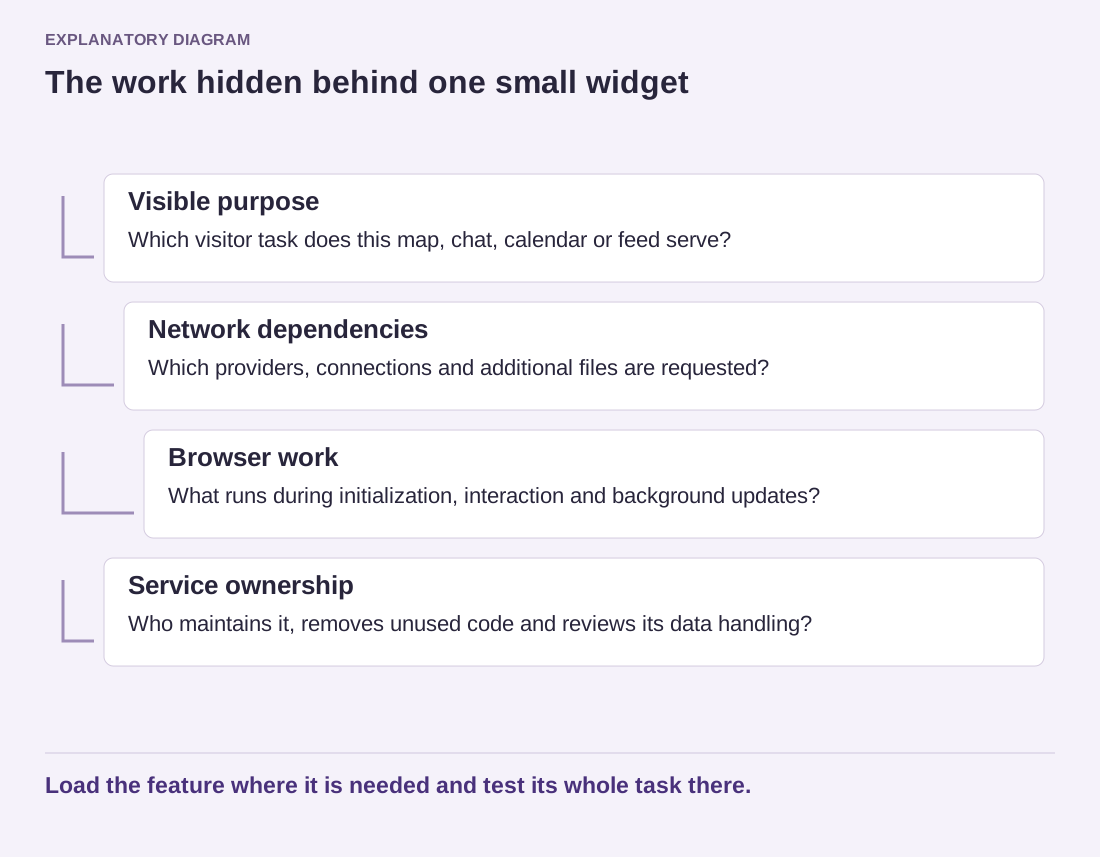
Read the diagram as text
- Visible purpose: Which visitor task does this map, chat, calendar or feed serve?
- Network dependencies: Which providers, connections and additional files are requested?
- Browser work: What runs during initialization, interaction and background updates?
- Service ownership: Who maintains it, removes unused code and reviews its data handling?
Load the feature where it is needed and test its whole task there.
Keep a named owner for each integration. When the business stops using a service, remove its old code as well as its visible icon. An inactive account can leave a script running if nobody remembers where it was inserted.
Review the inventory after theme changes and marketing additions. It is easier to approve a feature with a known purpose, page scope and maintenance owner than to diagnose a collection of unexplained external requests months later.