When several people use one administrator login, nobody can remove one person's access without changing the shared credential for everyone. It also becomes harder to interpret activity records because the same account represents several people. Replacing the arrangement is a manageable project when done deliberately.
First identify the authorized owner and the people who genuinely need access. Create individual accounts with roles matching their responsibilities. Do not assume everyone using the shared administrator account needs administrative privileges; some may only edit content or handle comments.
Confirm that at least one authorized owner can log in independently and recover access through an email account they control. Test the new accounts before changing or removing the shared one. Avoid creating a lockout while trying to improve accountability.
Look for hidden dependencies
The old account may own posts, application passwords or integrations. List those dependencies before deleting it. A script that authenticates as the shared user can stop working when the credential is changed, even though ordinary website pages still load.
Move integrations to an appropriate documented account and issue separate credentials through the supported mechanism. Keep secrets in a password manager, not in a handover email copied to everyone. If a third-party service also uses shared access, review it separately; changing WordPress does not automatically change the hosting or domain account.
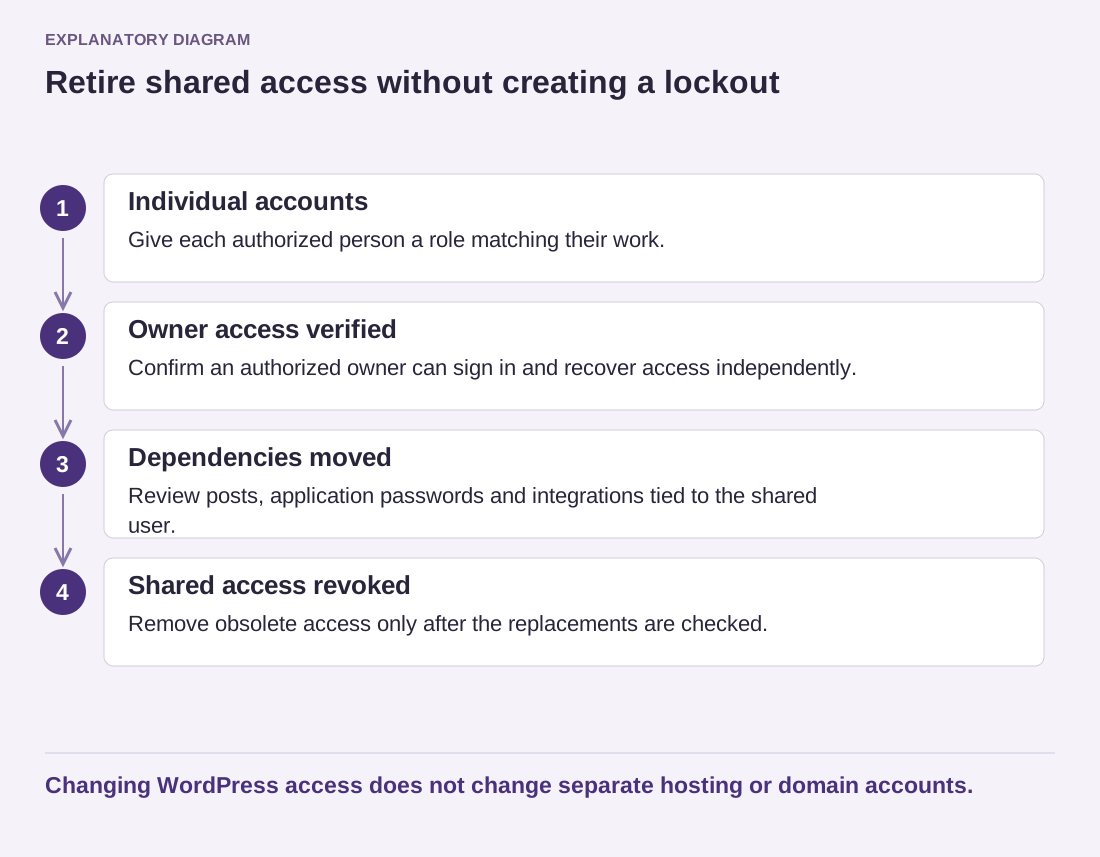
Read the diagram as text
- Individual accounts: Give each authorized person a role matching their work.
- Owner access verified: Confirm an authorized owner can sign in and recover access independently.
- Dependencies moved: Review posts, application passwords and integrations tied to the shared user.
- Shared access revoked: Remove obsolete access only after the replacements are checked.
Changing WordPress access does not change separate hosting or domain accounts.
Decide how to handle existing content attribution. WordPress provides reassignment choices when deleting users, but plugin-owned records can require additional review. Preserve the attribution intended for published work rather than transferring everything casually to whoever performs the cleanup.
Once the replacement accounts and dependencies have been checked, revoke the old access through the appropriate process. Notify the affected collaborators through the organization's normal channel and record the change. A later staff departure should then require removing one person's access, not another emergency password change that interrupts the entire team.