Five plugins can perform more work than fifteen, depending on what they do and where they run. Counting installed plugins is a useful inventory habit, but it is not a performance diagnosis. The relevant question is what each feature adds to the task a visitor or editor is trying to complete.
Some plugins affect only an administration screen. Others add public scripts, run database queries, contact external services or schedule background jobs. A plugin may load resources everywhere even though its visible feature appears on one page. These differences are more informative than the length of the plugin list.
Start from a slow task
Choose a reproducible example: opening a category, using a filter, saving a post or loading the first screen. Record the conditions and inspect the relevant work. Front-end network requests can help explain public-page behavior, but they will not reveal every expensive database operation or background task. Use the appropriate diagnostic tools or ask the host and developer for help with server-side evidence.
On a safe copy, compare the task with a suspected feature disabled, keeping other conditions stable. Check dependencies before deactivating it. A page builder or a custom-content plugin may supply the structure needed for the page to exist at all, so a broken empty page is not a fair faster version of the original.
Consider a form plugin that loads its assets only on the contact page and a social widget that loads across the site. Removing the form because it appears lower in an alphabetical list tells you little about an article's delay. The widget's actual requests are a more relevant lead for that article, while the form should be evaluated on its own page.
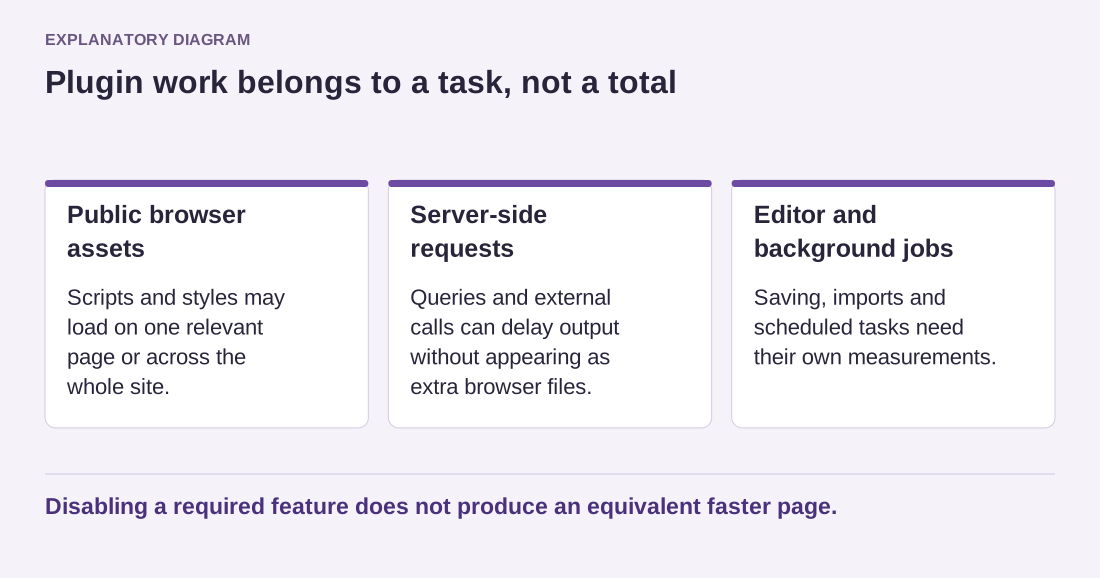
Read the diagram as text
- Public browser assets: Scripts and styles may load on one relevant page or across the whole site.
- Server-side requests: Queries and external calls can delay output without appearing as extra browser files.
- Editor and background jobs: Saving, imports and scheduled tasks need their own measurements.
Disabling a required feature does not produce an equivalent faster page.
If a plugin is responsible for measurable work, decide whether the feature is necessary, can be limited to relevant pages or has a better-supported alternative. Do not replace a working tool solely because another vendor calls its product lightweight. Compare the required behavior and the delivered result.
Remove unused plugins for maintenance clarity, but keep that decision separate from claims about measured speed. An inactive plugin usually has a different performance role from an active one, while still requiring an ownership decision about why it remains installed.
Document the finding in specific terms: this feature, on this task, under these conditions. That statement remains useful when the site's plugin count changes, and it gives the next maintainer evidence rather than a superstition about an ideal number.