An optimization plugin can offer page caching, script delays, image conversion and font settings in the same screen. The hosting provider may already handle some of those jobs, while a CDN handles others. The number of switches you enable is not a measure of how complete the setup has become.
Start with a short inventory of jobs rather than product names. Note who caches public HTML, who changes CSS or JavaScript files, who delivers images and who controls browser cache headers. A single product can own several jobs, but each job should have a deliberate owner. Unexplained overlap makes failures harder to trace.
Look for repeated transformations
Suppose a plugin combines and rewrites a script, then an edge service applies another transformation. When a menu stops working, the file in the browser may be several steps removed from the original. Turning both systems off might reveal the cause, but it does not tell you which configuration should be retained. Test one transformation at a time on a copy of the site.
Image delivery can create a similar puzzle. One tool generates alternate formats while another rewrites image addresses through its own service. Before adding either, understand which files are stored locally, which are generated remotely and how an original can be recovered. Do not delete original assets merely because a dashboard says they have been optimized.
Make a small responsibility table
For each active feature, record the responsible service, the setting location and the action needed after a content update. Include exclusions for private routes or features that cannot tolerate a transformation. The table can be a few lines in the project notes; it does not need a new administration system.
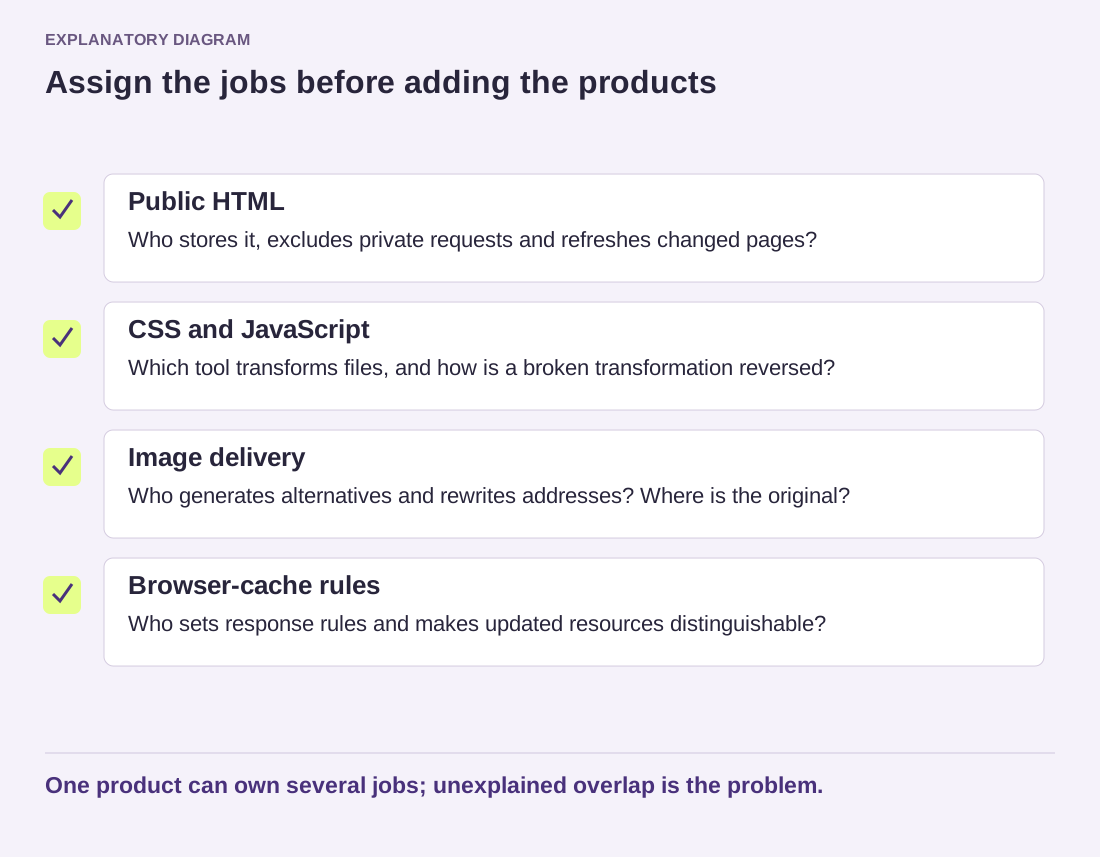
Read the diagram as text
- Public HTML: Who stores it, excludes private requests and refreshes changed pages?
- CSS and JavaScript: Which tool transforms files, and how is a broken transformation reversed?
- Image delivery: Who generates alternatives and rewrites addresses? Where is the original?
- Browser-cache rules: Who sets response rules and makes updated resources distinguishable?
One product can own several jobs; unexplained overlap is the problem.
Use the table when testing a change. If the hypothesis concerns delayed JavaScript, keep page-cache behavior stable while you compare. If it concerns HTML freshness, leave unrelated image settings alone. This separation makes a negative result useful because it still narrows the cause.
There are legitimate configurations with more than one caching layer. The goal is not to ban layers but to know how they cooperate. A server cache and an edge cache may have different responsibilities and invalidation rules. Ask the provider to explain those rules when the relationship is not clear.
When the setup is working, resist adding an overlapping feature without a specific reason. A simpler record of responsibilities makes future updates, troubleshooting and handover easier, even if the list of installed products does not become shorter.