A network panel left open while editing may show requests even when you are not typing. That does not automatically mean WordPress is wasting resources. Some background communication supports the editing session and coordination between people working on the site.
The Heartbeat API provides periodic communication between the browser and server. WordPress features and plugins can use it, including behavior connected with editor state. Other requests may come from entirely different features. Identify the request before assuming that every repeated call belongs to the same mechanism.
Record the screen where the traffic occurs, whether several tabs are open and what the response contains at a high level. Do not publish request bodies containing private content, authentication information or tokens. A host investigating load needs the relevant timing and endpoint, not a public copy of your editing session.
Consider the work that depends on the request
Disabling background communication indiscriminately can affect features that make collaborative editing safer or more convenient. A change that appears harmless while one person edits a draft may behave differently when two editors work on the same content. Test the actual workflow, including saving and returning to an open editor.
For example, a team may leave several editing tabs open throughout the day. Closing unused tabs and understanding the active workflow is a reasonable first observation. It does not prove that Heartbeat is the cause of a server problem, but it avoids changing a shared mechanism before checking how it is being used.
If a performance tool offers interval controls, read its current documentation and the hosting provider's advice. Avoid copying a universal interval or a complete-disable snippet from an unrelated site. The right behavior depends on the screen, the features in use and the problem being investigated.
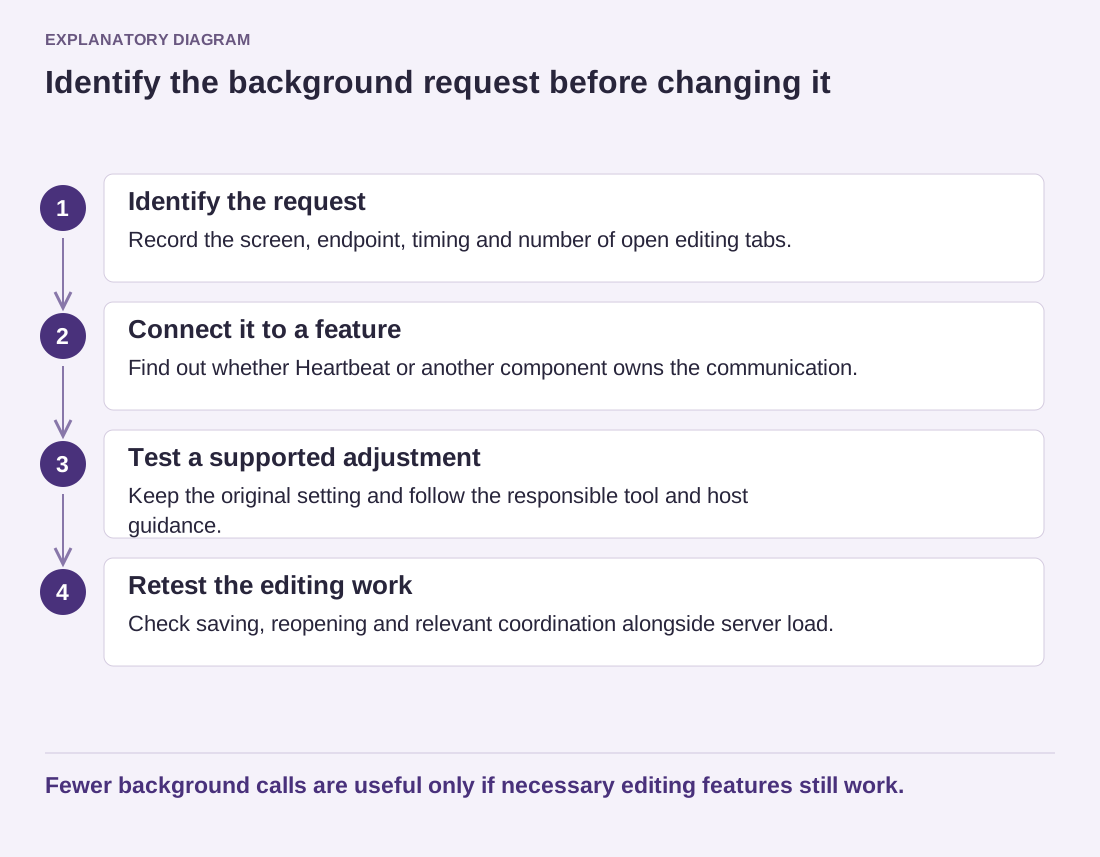
Read the diagram as text
- Identify the request: Record the screen, endpoint, timing and number of open editing tabs.
- Connect it to a feature: Find out whether Heartbeat or another component owns the communication.
- Test a supported adjustment: Keep the original setting and follow the responsible tool and host guidance.
- Retest the editing work: Check saving, reopening and relevant coordination alongside server load.
Fewer background calls are useful only if necessary editing features still work.
Compare the measured effect on a test copy and check for functional regressions. Can editors still save reliably? Do relevant notices and coordination features behave as expected? Does the server evidence actually improve under comparable use? A quieter network panel is not enough by itself.
Keep the original setting and the reason for any adjustment. If the investigation points to a different plugin request, restore unrelated changes so they do not become unexplained permanent modifications. The goal is to reduce unnecessary work while preserving the background work that the editing task genuinely needs.