A permission error can interrupt an upload or an update, making a broad permission change look like a quick solution. But granting unnecessary write access can expose files that should not be modifiable by every process or user on the server.
File permissions work together with ownership and the way the hosting environment runs PHP. A numeric setting copied from another server may not be appropriate for yours. Before changing it, identify the exact path involved and the operation that failed.
Ask the hosting provider which user should own the files and what permissions its environment requires. A directory used for uploads has different operational needs from a configuration file. The goal is enough access for the intended task, not the broadest setting that makes the error disappear.
Keep the change narrow
Do not apply a recursive change to the whole website without understanding its effects. It can alter unrelated files and erase distinctions the host relies on. If a support procedure proposes a change, confirm the target, reason and method of restoring the previous state.
Check whether the problem is actually permission-related. Storage limits, a missing directory or a failed connection can produce symptoms that resemble a write failure. Gather the exact error message and relevant server evidence rather than changing permissions repeatedly.
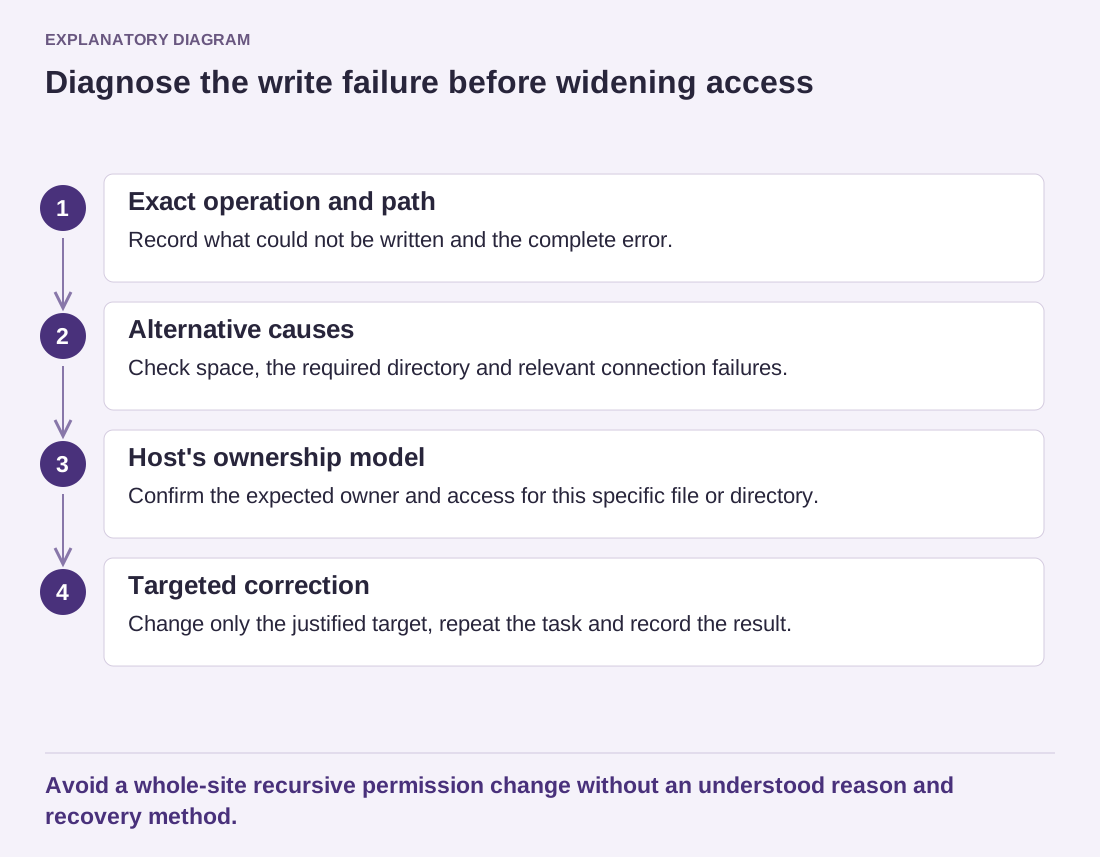
Read the diagram as text
- Exact operation and path: Record what could not be written and the complete error.
- Alternative causes: Check space, the required directory and relevant connection failures.
- Host's ownership model: Confirm the expected owner and access for this specific file or directory.
- Targeted correction: Change only the justified target, repeat the task and record the result.
Avoid a whole-site recursive permission change without an understood reason and recovery method.
Configuration and backup files deserve particular care because they may contain secrets or personal data. Avoid placing diagnostic copies in a public folder while investigating. Making a file difficult to guess by name is not a substitute for appropriate access restrictions.
After the targeted correction, repeat the operation that failed and verify that the temporary access change did not remain broader than necessary. Record what the host recommended and why. If custom software repeatedly requires unusually open permissions, investigate that requirement with its maintainer instead of treating it as a permanent exception nobody understands.