You open your own site several times a day, so your browser may already hold many of its images, styles and scripts. A new visitor starts with a different collection of stored resources. That is one reason a page can feel immediate to its owner and slower to someone opening it for the first time.
Browser caching uses response rules to decide whether a stored resource can be reused or needs checking. It is separate from a WordPress page cache on the server. Clearing a hosting cache does not necessarily remove copies already held by visitors, and deleting your own browser data does not clear the host's public page cache.
Compare a first visit with a return visit
In the browser's network tools, note whether cache use is enabled for the test. A reload with caching deliberately disabled is useful for investigation, but it should not be labeled as an ordinary return visit. Keep the same page and connection conditions when comparing the two cases.
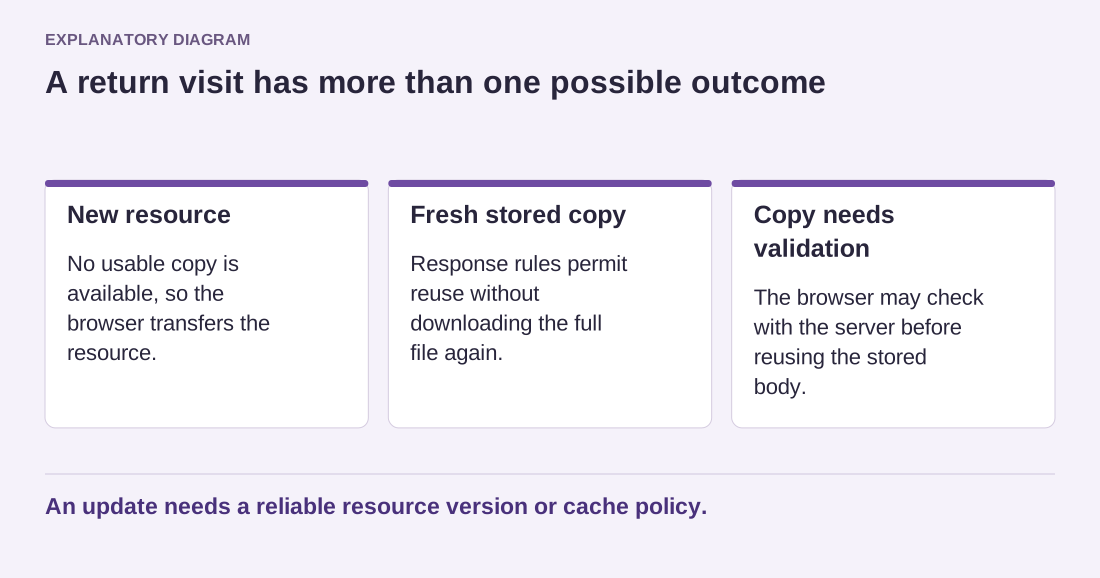
Look at individual resources rather than only the total load time. A logo may be reused while an article image is new. The browser may check whether a file changed instead of downloading the full body again. These are different outcomes, and they explain why the second visit is not always either completely free or completely fresh.
Consider a reader who opens three articles in succession. Shared styles and navigation graphics can be reused across that journey, while each article contributes its own photograph. Improving the shared resources benefits the whole path. Replacing the article photos with tiny unreadable files would not be a sensible substitute for that improvement.
Read the diagram as text
- New resource: No usable copy is available, so the browser transfers the resource.
- Fresh stored copy: Response rules permit reuse without downloading the full file again.
- Copy needs validation: The browser may check with the server before reusing the stored body.
An update needs a reliable resource version or cache policy.
Plan how changed files become visible
Long-lived caching works best when updates have a reliable way to receive a new resource address or version. If a stylesheet changes while its address stays the same, some visitors may continue to use an earlier copy according to the caching rules. Theme and plugin asset handling often provides versioning, but custom additions deserve a check.
Test a visible update on a staging copy and observe both an existing browser session and a fresh one. If the sessions disagree, investigate the request and its address before instructing every visitor to clear all browser data. That instruction may hide the symptom for you without fixing delivery for everyone else.
Browser caching is valuable precisely because it avoids unnecessary transfers. The goal is not to defeat it whenever you make an edit, but to make stable files reusable and changed files distinguishable. Keep that distinction in your deployment notes.