A scheduled post uses the site's time settings, not necessarily the clock on the editor's laptop. That matters when a contributor works from another country or travels between time zones. Before scheduling the first announcement, check the time zone configured for the installation and decide whose local time the publication should follow.
WordPress offers named locations and fixed UTC offsets in its general settings. A named location can account for the time rules associated with that place, including seasonal changes where applicable. A fixed offset stays fixed. Choose the option that matches the publication's actual schedule rather than copying the offset shown by your computer today.
A team note might read: publication calendar uses the site’s selected city time; event times are stated separately with the event location. That convention prevents an editor from “correcting” the site clock to match their own laptop. For an international event, the article may need several clearly labeled local times or a reliable conversion link. Do not use the post’s displayed date as a substitute for the event schedule. A reader can encounter the article months after publication, when the distinction is even more important.
Consider a workshop announcement intended for readers in one city. Write the intended publication time in the editorial note with the location, then compare it with the scheduling controls. A note that says only 9:00 leaves room for disagreement between editors. The event's own time should also be written clearly in the article; it is a different piece of information from the post's publication timestamp.
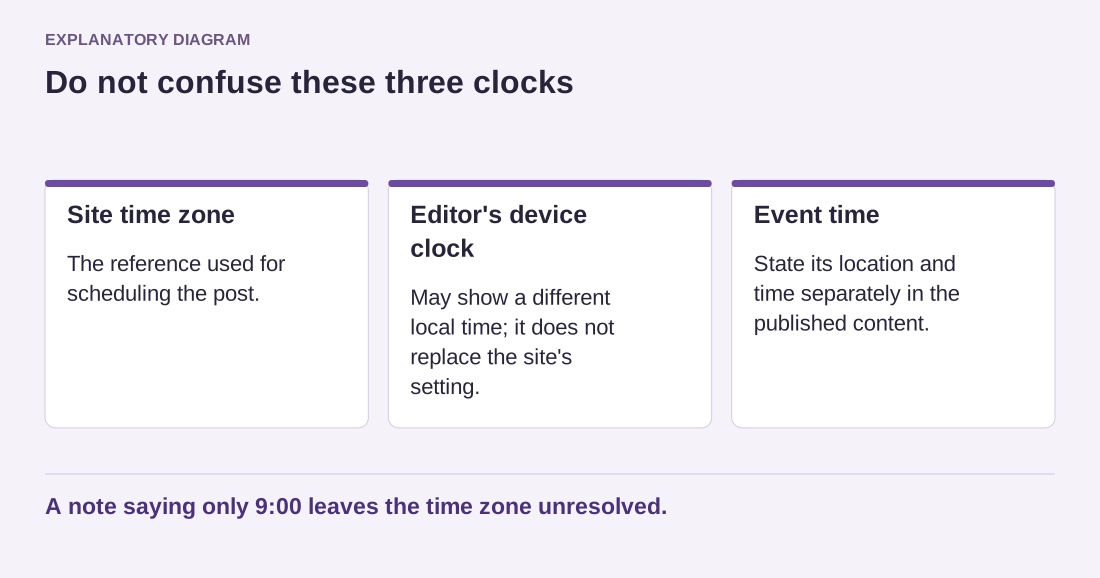
Read the diagram as text
- Site time zone: The reference used for scheduling the post.
- Editor's device clock: May show a different local time; it does not replace the site's setting.
- Event time: State its location and time separately in the published content.
A note saying only 9:00 leaves the time zone unresolved.
Confirm the result with a small trial
Use a low-risk test post or a controlled test environment to become familiar with scheduling. Check the date, year, time and status before saving. After the intended time, view the public site while logged out. On ordinary WordPress installations, scheduled tasks can depend on site requests unless a server scheduler is configured, so publication is not a promise of second-by-second precision.
If your team publishes across several regions, choose one reference time for the editorial calendar and label it. Editors can convert from that reference, but the underlying site's setting should not change every time a different person writes a post. Frequent changes make old timestamps and future plans harder to interpret.
Date and time display formats are separate choices. You can show a readable date without changing the actual time zone. Review both settings, then record the chosen convention. When a post appears at an unexpected hour, this record gives you a starting point before investigating scheduling failures or other operational issues.