A row of social icons can represent several different features. Some links open the site's own social profiles. Others help visitors share the current page. A live feed displays content fetched from another platform. These choices have different maintenance and privacy consequences, even when they look similar in a theme demo.
Decide which action helps the reader. An article that people frequently send to colleagues may benefit from a copy-link control or a small set of sharing links. A business profile page may need only links to its official accounts. A continuously embedded feed is a separate editorial decision.
Check how the chosen implementation works. An ordinary link can send the visitor to another site only when clicked. An embedded widget may load scripts or make third-party requests as soon as the page opens. Read the provider's current documentation rather than assuming all buttons with the same logo behave alike.
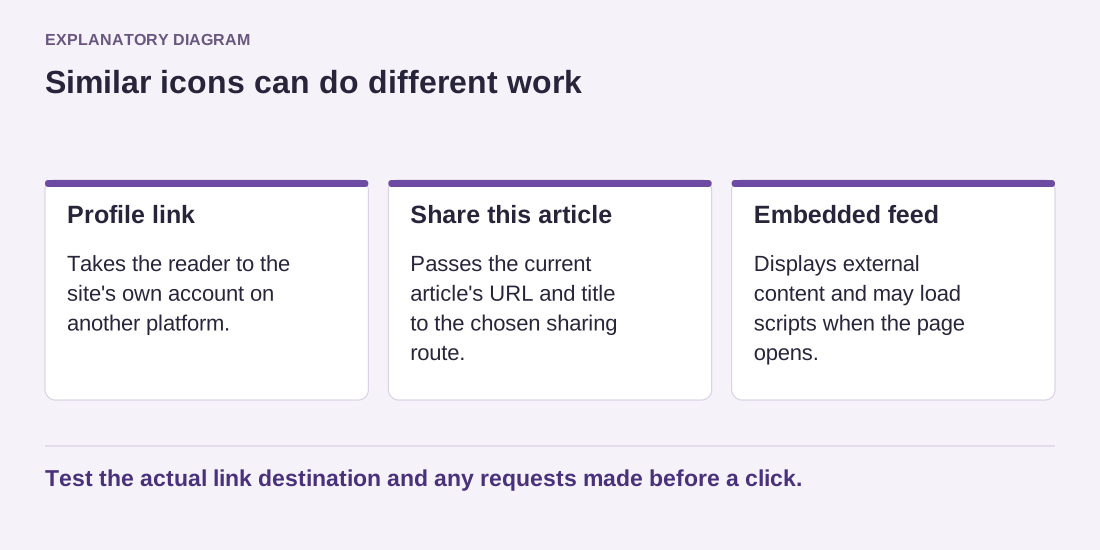
Read the diagram as text
- Profile link: Takes the reader to the site's own account on another platform.
- Share this article: Passes the current article's URL and title to the chosen sharing route.
- Embedded feed: Displays external content and may load scripts when the page opens.
Test the actual link destination and any requests made before a click.
On a phone, a fixed sharing bar can cover text or compete with navigation. Test it at the bottom of the screen, with browser controls visible and at increased text size. Do not let a secondary sharing feature make the article harder to read.
Use clear accessible names. An icon alone should still have a meaningful label for assistive technology, and the clickable area should be easy to reach. If you provide a copy-link button, it must really copy the intended URL and report failure honestly when the browser does not allow it.
Review destinations after account changes. A profile link that points to an abandoned username is not useful simply because the icon still looks correct. For sharing links, confirm that the URL and title belong to the current article rather than the homepage.
Start with the smallest set of actions that serves the content. You can add a richer integration when there is a clear reason and a plan to maintain it. A clean page with working links is often easier to manage than a decorative widget whose behavior nobody has checked.