A post grid should do more than resemble a collection of article cards. Each card needs the right content, a dependable link and a layout that continues to work as new posts arrive. The Query Loop block can generate that collection, but its nested structure matters. Editing the correct layer is the difference between changing the query and changing the appearance of every result.
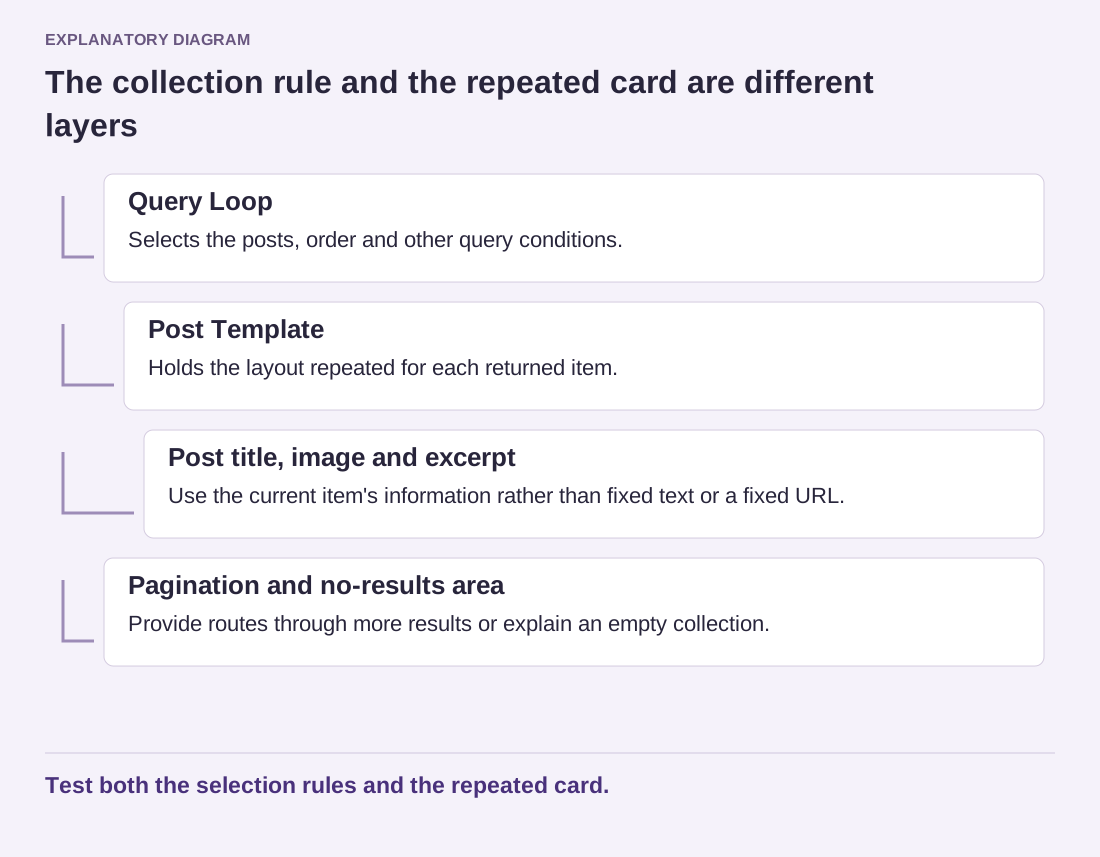
The outer Query Loop determines which items are requested. Inside it, the Post Template holds the arrangement repeated for each item. A title, featured image, excerpt and date can appear within that repeated structure. Pagination and a no-results area serve different jobs around the collection. Use List View to see these relationships before moving blocks.
Read the diagram as text
- Query Loop: Selects the posts, order and other query conditions.
- Post Template: Holds the layout repeated for each returned item.
- Post title, image and excerpt: Use the current item's information rather than fixed text or a fixed URL.
- Pagination and no-results area: Provide routes through more results or explain an empty collection.
Test both the selection rules and the repeated card.
For a small test, use five clearly named posts and display only two per page. You can then inspect the first, second and final page without counting through a large archive. Record the expected order before testing, including any sticky-post behavior or filters you intentionally enabled. Do not leave those test settings in the production collection by accident. Restore the intended item count and remove test material once the behavior is understood. This exercise checks the rules with a visible sample; it is more reliable than assuming a neat first row proves the entire collection is correct.
For a custom article section on a page, choose the intended query settings and inspect the results. If you are editing an archive template, the default query may need to follow the current archive context instead. Do not replace an inherited category query with a fixed filter merely because the current preview happens to show the category you want today.
Build one complete card
Select the Post Template and arrange its child blocks in the order a reader should encounter them. For a simple editorial card, an image, title and short excerpt may be enough. Add metadata only when it helps the decision. A crowded row of dates, authors and taxonomy labels can overwhelm a short title without making the article easier to choose.
Check links explicitly. A title or featured image is not guaranteed to link to the post in every arrangement. Select the relevant child block and review its link setting. Open the published result to confirm the destination rather than relying on the cursor's appearance in the editor. Avoid adding a manually typed URL that would repeat the same destination on every card.
Test with a long title, an article without a featured image if that can occur, and an excerpt of realistic length. The repeated design must accommodate variation. A fixed-height box that looks neat with demonstration text can clip a real headline. Consider how the card should behave when optional information is absent instead of assuming every future post will match the sample.
Keep the collection navigable
If the query can return more items than one page displays, include appropriate pagination and test later pages. Do not confuse a deliberately limited featured section with a complete archive. Readers need a route to the rest of the collection when the page presents itself as a library. Check that changing pages does not repeat or skip content unexpectedly.
Use a clear no-results message for a query that can become empty. It should explain the situation without pretending that an error has occurred. A category with no matching posts is different from a broken page. Where useful, offer a link back to the broader collection rather than leaving an unexplained blank area.
Finally, inspect the grid at narrow and intermediate widths. Image proportions, gaps and text length should still allow a comfortable reading sequence. Publish a new test item in a controlled environment and confirm that it enters the expected place. The value of a Query Loop is that the collection can update from its rules; those rules and the repeated card both need to be understandable.