An editor can overlook problems that a first-time visitor meets immediately. Being logged in may expose drafts, administrative shortcuts or cached content that ordinary readers do not see. Before sharing a new page, open its public address in a separate logged-out browser session and follow the route a visitor would take.
Start with the title and opening paragraph. Do they identify the subject without relying on your project knowledge? Check the actual published text rather than the draft in your notes. Placeholder sentences, unfinished buttons and old contact details can survive a polished layout. Read the page from beginning to end once before concentrating on visual refinements.
If another person reviews the page, give them a task instead of asking whether they like it. Ask them to find the service area, identify the next article in a series or locate the correction contact. Observe where they hesitate without immediately explaining the route. Their difficulty may come from a label, a missing link or an assumption in the text. Record the concrete obstacle and check it again after revision. This produces more useful feedback than collecting conflicting preferences about colors.
Click the important links. A button labeled Contact should reach the intended contact method; an article card should open the correct article. Check external destinations as well as internal ones. If a link opens a new tab, make sure that behavior has a reason and does not create a confusing sequence of windows.
Give the narrow layout a real task
On a phone, try finding a specific piece of information rather than merely looking at the page. Open the menu, read a long heading and follow a link near the footer. Look for text that runs outside its container, images that hide their subject and controls that are difficult to touch. A desktop browser's narrow preview helps, but an actual device can reveal different interaction problems.
Use the keyboard for a short pass on desktop. Move through links and controls, observe whether focus is visible and confirm that the reading order makes sense. You do not need to claim a complete accessibility audit to notice an unusable menu or a button with no clear label. Fix the concrete problem you can reproduce.
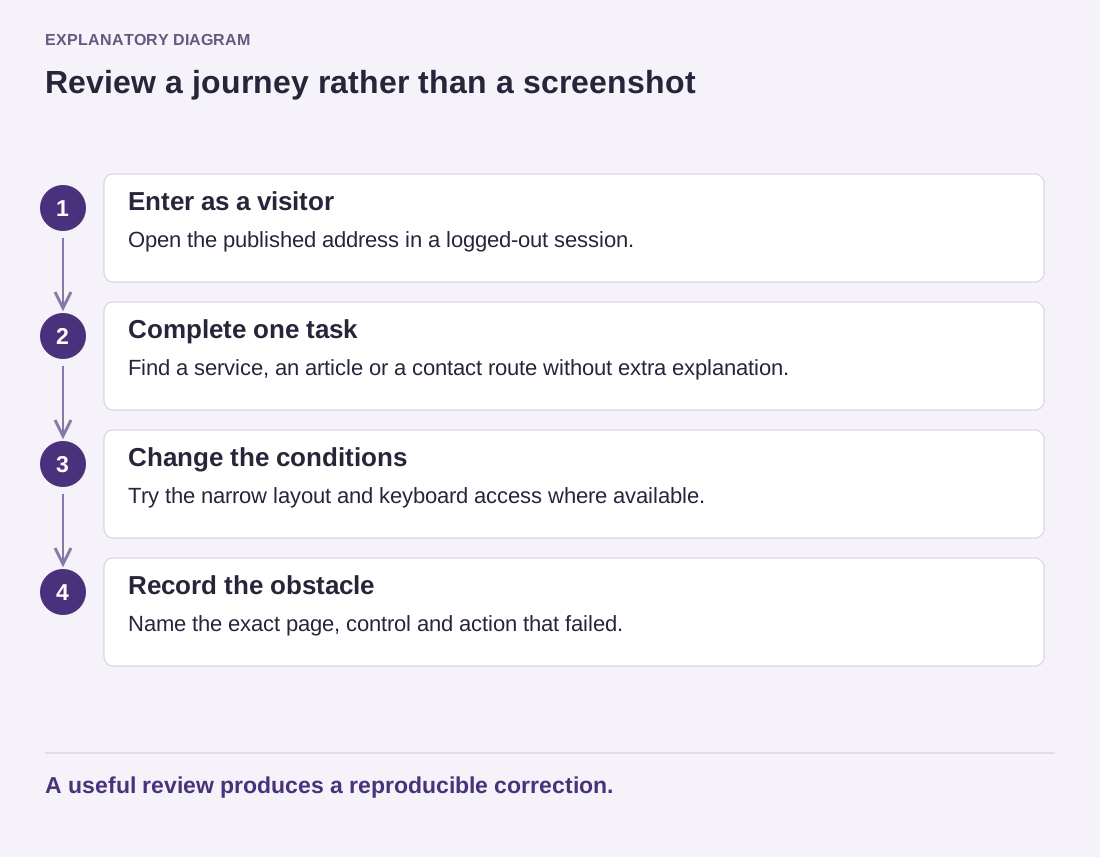
Read the diagram as text
- Enter as a visitor: Open the published address in a logged-out session.
- Complete one task: Find a service, an article or a contact route without extra explanation.
- Change the conditions: Try the narrow layout and keyboard access where available.
- Record the obstacle: Name the exact page, control and action that failed.
A useful review produces a reproducible correction.
Finally, copy the public URL from the browser and open it again in a fresh session. This confirms that you are sharing the intended destination rather than an editor preview or an administrative address. Keep a short list of remaining issues with exact pages and actions. A useful review produces specific corrections, not only a general impression that the site looks finished.