A folder full of screenshots can still leave the next maintainer unable to explain a site's behavior. The useful settings record identifies the decisions that matter: which plugin owns a feature, why an option differs from the default and what another system expects from it.
Begin with the features that visitors rely on. For a contact form, record the page where it appears, the destination mailbox, whether entries are stored and who reviews failures. For a redirect tool, record where the authoritative redirect list lives. This describes the work, rather than reproducing every control in the dashboard.
Include the exact plugin name and edition. A note saying “the forms plugin” becomes ambiguous after a replacement. Record the version when documenting a version-sensitive setting, but do not turn the inventory into a second update system that someone must manually synchronize every day.
An option disabled for compatibility deserves a sentence about the reason. For example, an optimization module may be off because the hosting service already performs the same task. Without that context, a future maintainer may enable it to make the dashboard look complete and recreate the overlap.
Separate ordinary configuration from secrets. A record can say which password-manager entry contains a service credential without copying the credential into a shared document. Remove private addresses, tokens and customer information from screenshots before using them in support requests or handover notes.
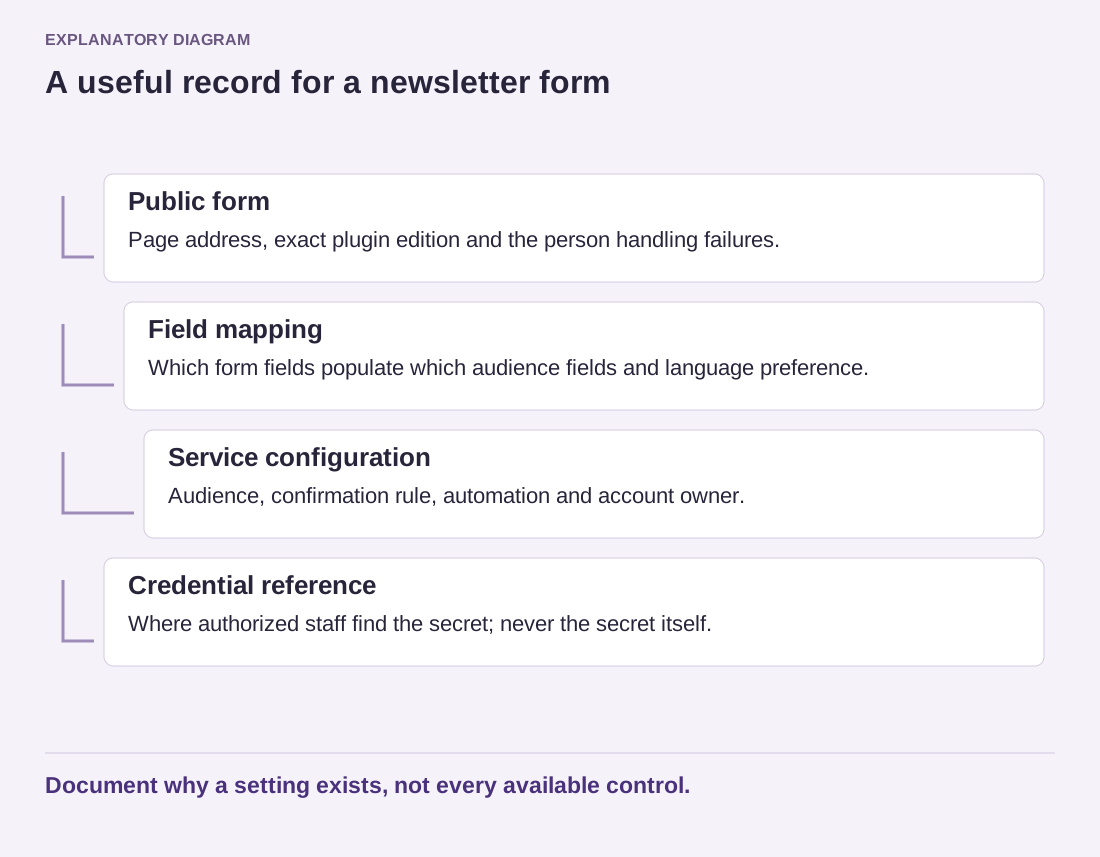
Write down the connections between tools. A newsletter form may depend on a particular list identifier, confirmation setting and external automation. Merely exporting the WordPress plugin's options may not capture the service-side configuration. Note the owner of that account and where the related instructions are kept.
Read the diagram as text
- Public form: Page address, exact plugin edition and the person handling failures.
- Field mapping: Which form fields populate which audience fields and language preference.
- Service configuration: Audience, confirmation rule, automation and account owner.
- Credential reference: Where authorized staff find the secret; never the secret itself.
Document why a setting exists, not every available control.
Update the record when a meaningful decision changes, not whenever someone opens the settings screen. A short dated entry explaining a new destination mailbox is enough. During a handover, ask the next person to locate and explain one important setting using only the notes. Any missing context they encounter is a better guide to improving the record than adding another dozen screenshots.