An email address appearing in a mailing platform does not necessarily mean the signup workflow is complete. It may be pending confirmation, assigned to the wrong audience or excluded from the automation that sends the promised welcome message. Follow the record beyond the WordPress form.
Identify which system is authoritative for subscription status. Usually that is the mailing service rather than the visual form on the website. Read the integration's documentation to understand how it handles existing subscribers, unsubscribed addresses and confirmation settings. Do not assume that submitting the same address should silently reactivate it.
Map the fields deliberately. A name field may be optional in the form but required by an automation. A language preference can be useful only if the receiving service stores and uses it consistently. Avoid collecting extra personal details simply because there are empty fields available in the integration.
Test with an address you control
Use a fresh test address and follow the expected confirmation route. Check the list or audience, status, tags and welcome message. Then test a repeat signup and an unsubscribe. If you cannot safely test a particular state in the live audience, use a separate test audience or the provider's supported testing method.
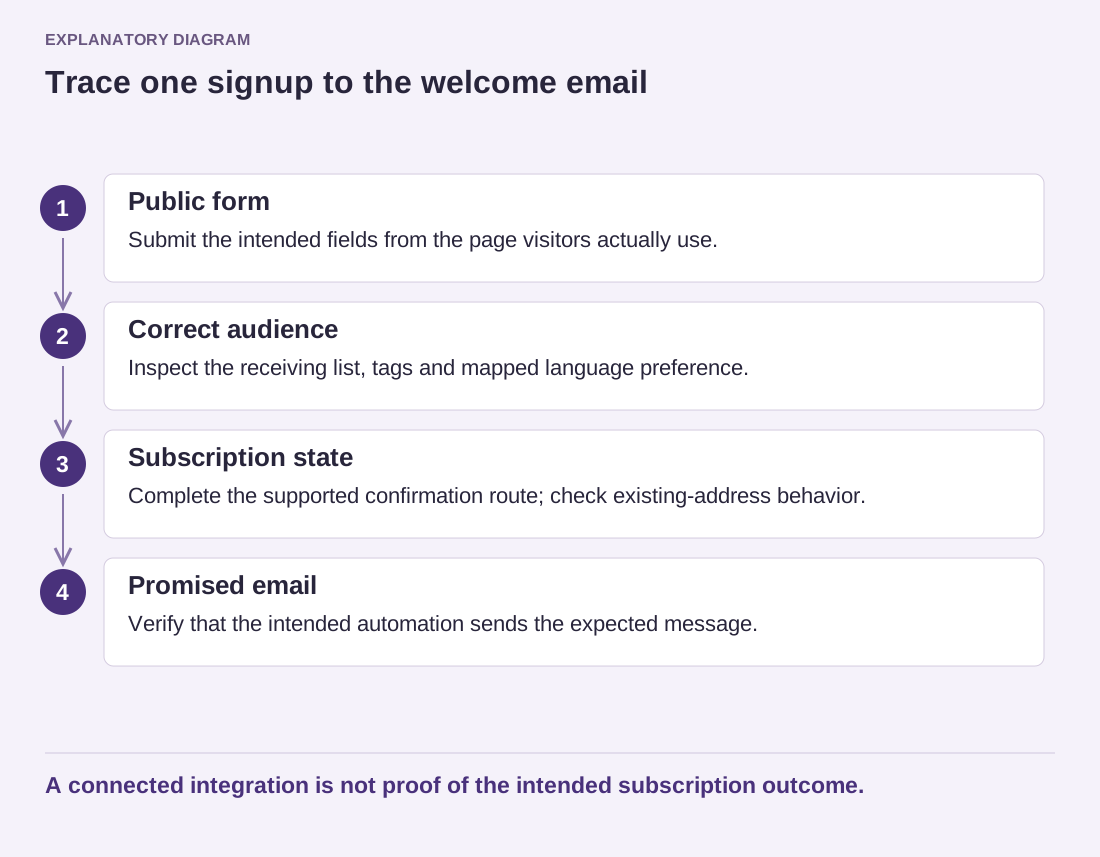
Read the diagram as text
- Public form: Submit the intended fields from the page visitors actually use.
- Correct audience: Inspect the receiving list, tags and mapped language preference.
- Subscription state: Complete the supported confirmation route; check existing-address behavior.
- Promised email: Verify that the intended automation sends the expected message.
A connected integration is not proof of the intended subscription outcome.
Write the signup promise to match what will actually be sent. If the form offers a monthly editorial email, do not connect it to unrelated promotional sequences without reviewing the notice and applicable requirements. The integration's ability to add a contact is not permission to use it for every purpose.
Keep the API credential out of public pages and shared screenshots. Give the connection only the access the service supports and the task requires. Record which account owns it so a contractor's departure does not leave the website dependent on an inaccessible personal account.
An existing unsubscribed address is an especially useful test case. Observe whether the form explains the next step, sends a confirmation or reports an error under the provider's supported rules. Do not alter subscription status directly merely to make the test pass. Also check what happens when the external service is unavailable: the visitor should not receive a promise that the welcome email has been sent if the connection failed. Record whether the plugin retries, stores a pending request or requires manual attention.
After changing lists, credentials or automation rules, repeat the route from public form to received email. A green integration status can establish that a connection exists, but not that the right message reaches the right audience. The complete path is the feature visitors experience.