Opening the menu once is not enough to review mobile navigation. A visitor may need to expand a subsection, scroll a long list, close the panel and continue reading from the same place. Test that sequence with the site's real labels. Short demonstration text can hide the awkward cases that appear after content is added.
Begin on a narrow screen with the menu closed. The opening control should be visible and understandable. After opening it, confirm that the links are readable, comfortably spaced and not hidden behind other page elements. If the menu covers the content, the way to close it should remain easy to find without guessing where to tap.
Try the longest label and any submenu. Check whether tapping a parent item navigates immediately or expands a list, and whether the behavior is clear. A desktop hover interaction does not automatically translate to touch. Theme and Navigation block options vary, so judge the actual public interaction rather than assuming the editor preview reproduces every detail.
Use a keyboard as well where possible. Move focus into the menu, follow its controls and observe what happens when it closes. Focus should remain visible, and the user should not become trapped without a workable exit. If an overlay is involved, test the theme's supported closing behavior rather than adding custom shortcuts without understanding the existing component.
Review the menu after following a link to another page. Make sure the destination loads correctly and that the navigation remains available there. A page using a different template may expose a different header, creating an inconsistency that a homepage-only review misses. Also check the menu with browser text enlarged.
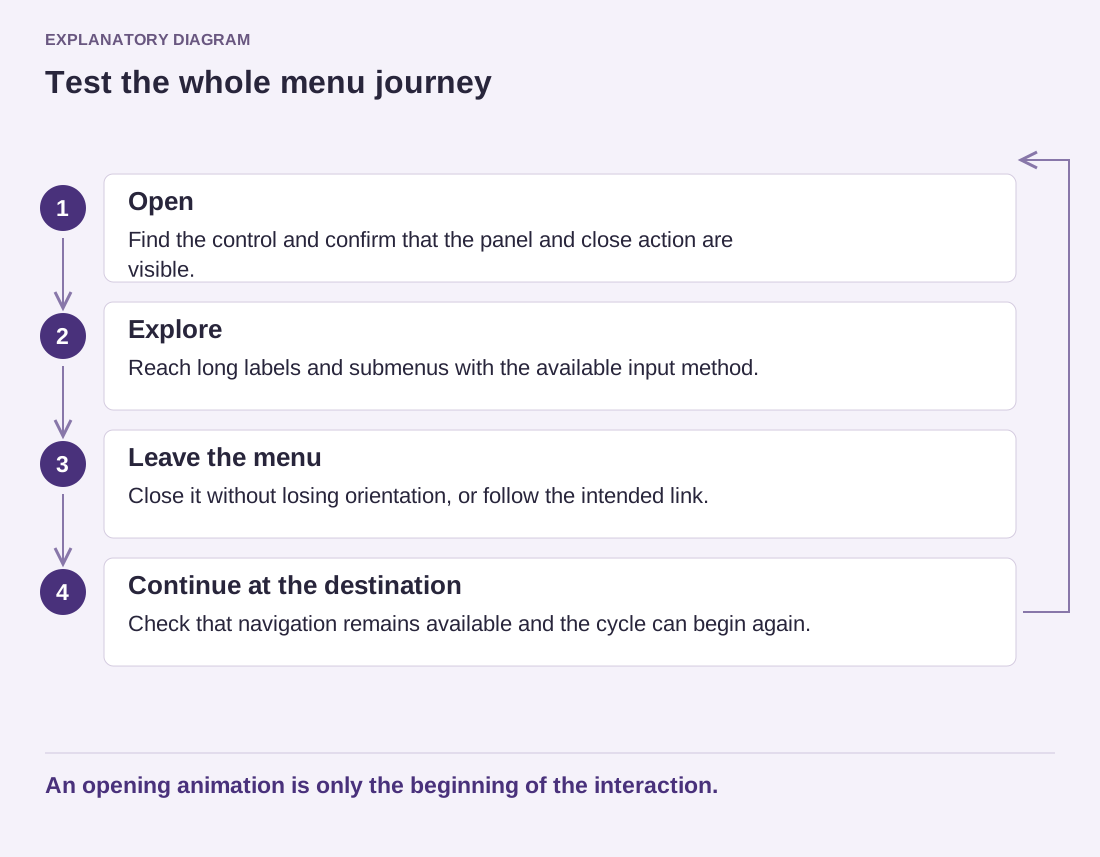
Read the diagram as text
- Open: Find the control and confirm that the panel and close action are visible.
- Explore: Reach long labels and submenus with the available input method.
- Leave the menu: Close it without losing orientation, or follow the intended link.
- Continue at the destination: Check that navigation remains available and the cycle can begin again.
An opening animation is only the beginning of the interaction.
Record failures as specific actions: the third submenu cannot be reached, the close control moves off-screen, or a long label overlaps its neighbor. Those observations are easier to repair than a note saying the menu feels wrong. A useful mobile menu preserves orientation and access throughout the journey, not just during its first opening animation.