The media library becomes difficult to use long before it becomes large. A few dozen files called final, final-new and final-new-2 can hide the photograph you need. Give uploads a naming habit while the collection is small. The aim is to identify the subject and version without opening every file.
Use a short descriptive filename before uploading, such as ceramic-bowl-blue-front rather than the camera's numerical name. Include a distinguishing detail when several images show the same object. Avoid stuffing the name with repeated keywords. A filename is a working identifier, not a miniature advertisement, and changing the attachment title later does not necessarily rename the underlying file.
For several views of one object, include the distinction that editors will search for: front, back, detail or assembled. If the object changes, add an understandable version marker rather than endlessly appending new. Keep the convention human-readable. A complicated code that only one person understands can be as difficult as the camera’s original filename. Before uploading, search the library for the existing subject; reusing an appropriate asset can be better than uploading a second indistinguishable copy just because it is easier to find on your desktop.
Keep original files separately from the copies prepared for publishing. The library is not a substitute for an organized source archive. If you later need a different crop, the untouched original gives you more options than a small image already exported for a card. Record usage rights with the source material when the project requires them.
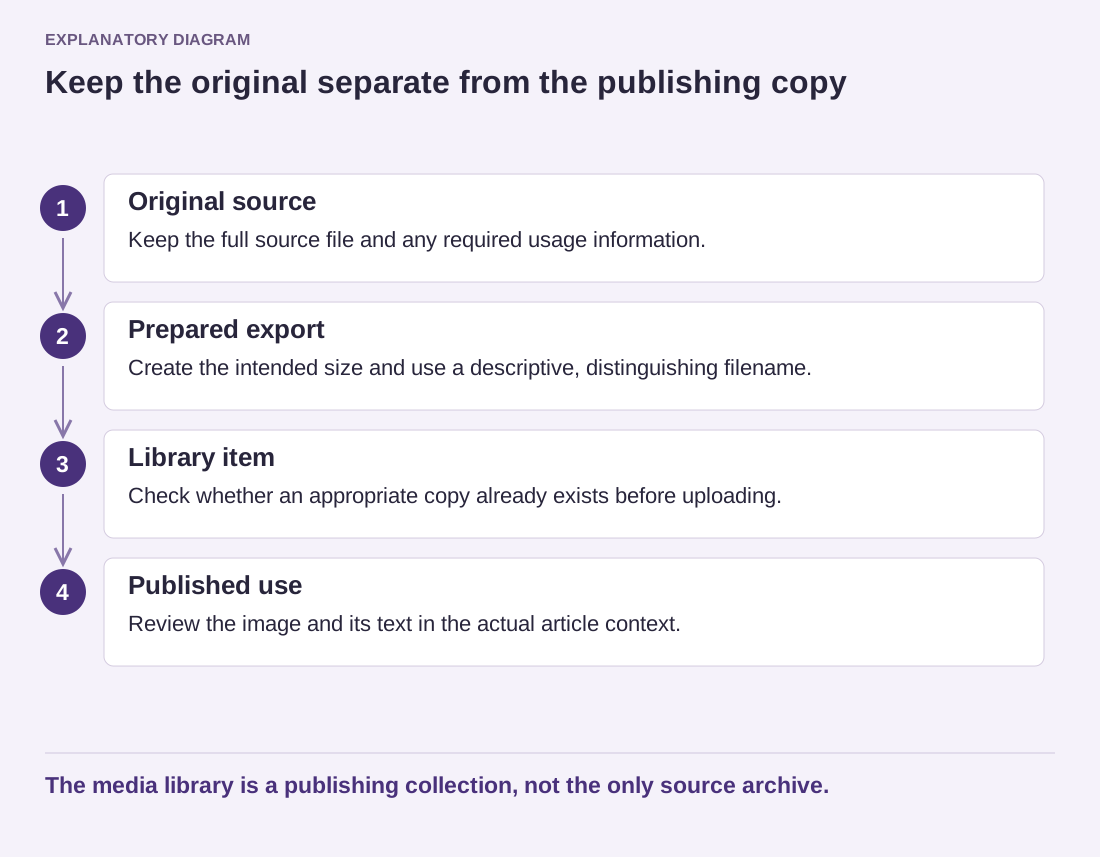
Read the diagram as text
- Original source: Keep the full source file and any required usage information.
- Prepared export: Create the intended size and use a descriptive, distinguishing filename.
- Library item: Check whether an appropriate copy already exists before uploading.
- Published use: Review the image and its text in the actual article context.
The media library is a publishing collection, not the only source archive.
The attachment title helps identify an item in the library. Alternative text describes an image's purpose in context for people who cannot see it. A caption is visible accompanying text where the layout displays it. These fields should not automatically contain the same sentence. A useful internal label may be a poor public description.
Check an existing article after changing library information. Some information can be stored in the individual image block when it is inserted, so a later library edit may not update every use. Conversely, deleting a media item can affect pages that still reference its file. Search for its uses before treating an apparently old upload as disposable.
For a small team, a one-page convention is enough: filename pattern, source-file location and who checks the final image. Review duplicates periodically, but do not delete files merely because the library labels them unattached. A file can be used outside the attachment relationship that WordPress records. Good media housekeeping protects published pages as well as making the next upload easier to find.