Every required field is a small decision imposed on the visitor. A person asking whether you repair a particular appliance may not yet know the model number or preferred appointment date. Requiring both can prevent a useful enquiry without giving the business better information.
Start with the first action your team will take after receiving the message. If that action is an email reply, an email address and a clear description may be enough. A phone number can remain optional when calling is not essential. Avoid collecting an address simply because the form builder includes an address block.
For a service limited to a geographic area, a postcode may be more useful than a full street address at the enquiry stage. Explain why it is needed. The exact field depends on the market: a location label that makes sense in one country may confuse visitors elsewhere. Use examples that fit the people the form serves.
Make the difficult questions easier
Replace a vague field such as “details” with a short instruction about the information that helps. For example, ask which page contains the incorrect opening hours and what should change. A specific prompt can reduce follow-up messages without increasing the number of required fields.
Do not rely on placeholder text as the only label. It disappears when someone types and may be hard to read. Keep labels visible, explain the expected format and make errors point to the field that needs attention. Test the form using a keyboard and a narrow screen.
Consider what happens to the answers. If the plugin stores submissions, decide who can read them and how long they are needed. If it only sends email, the mailbox becomes part of the workflow. Do not ask visitors to include passwords, payment details or sensitive documents in an ordinary enquiry box.
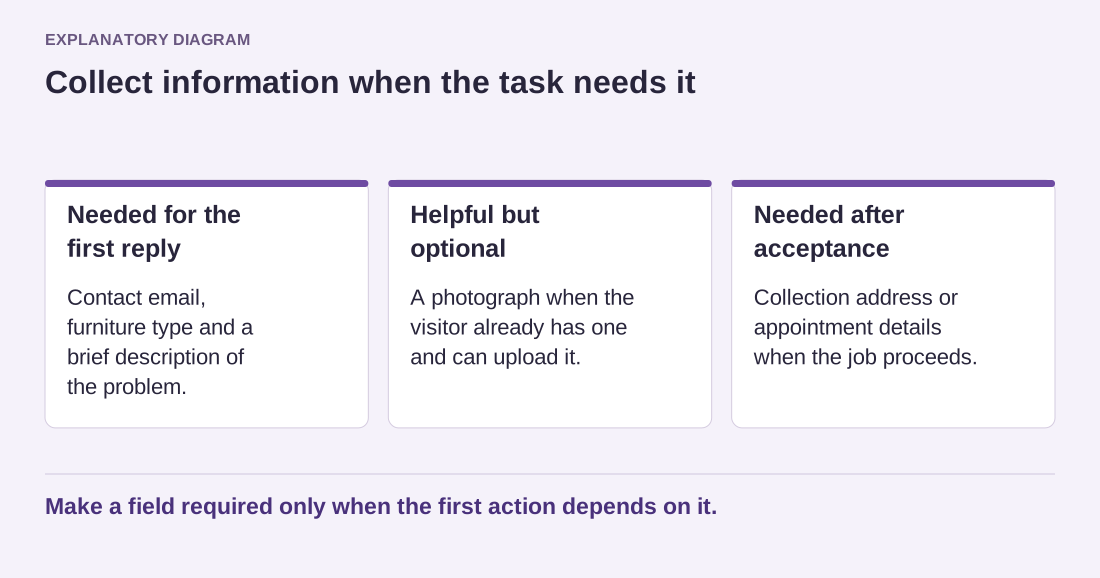
Suppose a furniture repair shop needs photographs only after deciding whether it handles the material. Its first form can ask for the furniture type and a brief description, with an optional photo. If the visitor selects an unsupported service, explain the limitation without requiring a full address. Later, when the shop accepts the enquiry, it can request the details needed for a quote. This separates an initial conversation from a confirmed job and avoids collecting delivery information from people the business cannot help.
Read the diagram as text
- Needed for the first reply: Contact email, furniture type and a brief description of the problem.
- Helpful but optional: A photograph when the visitor already has one and can upload it.
- Needed after acceptance: Collection address or appointment details when the job proceeds.
Make a field required only when the first action depends on it.
Try the form with three realistic questions before publishing. If each can be answered with fewer fields, simplify it. You can request additional details in the reply when they become relevant. A short form is useful because it fits the first conversation, not because every form must meet an arbitrary field limit.